
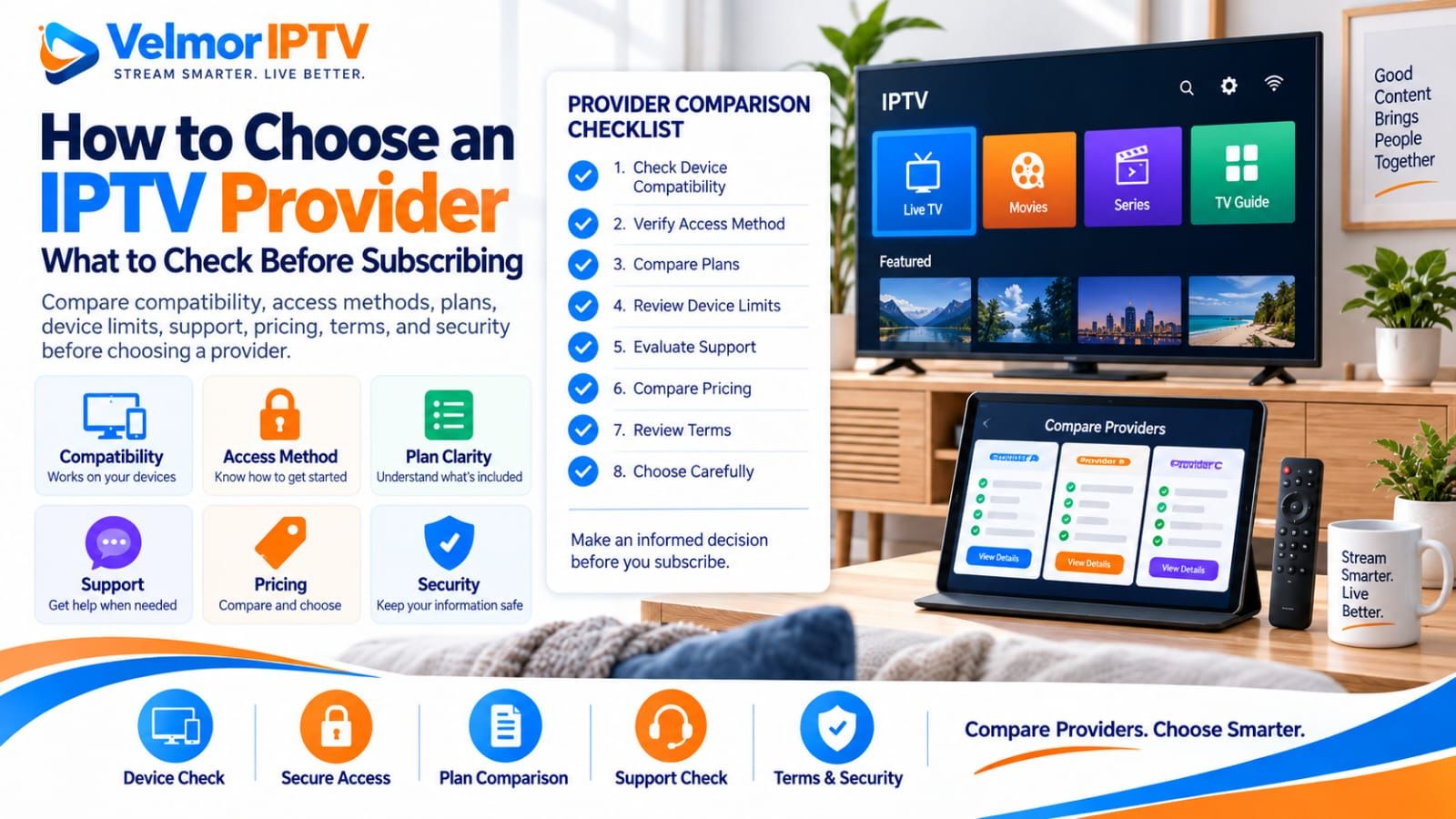
Choosing an IPTV provider is mainly about verifying whether its service fits your actual device, trusted player, provider-issued access method, plan needs, device count, support expectations, and budget. No IPTV provider is automatically the best choice for every household or setup.
Before subscribing, compare confirmed details rather than promises: intended-device compatibility, access format, subscription duration, device and simultaneous-use rules, displayed price, support route, trial availability, subscription terms, and credential handling. This guide provides a neutral framework for making that decision without ranking providers or inventing competitor scores.
- Confirm compatibility with the intended device and a trusted player.
- Verify the provider-issued access method before paying.
- Check plan duration, device count, and simultaneous-use rules separately.
- Compare the displayed price with the exact plan scope.
- Ask whether representative playback testing is available.
- Locate the official support and setup guidance.
- Review trial availability, renewal behavior, and stated refund terms.
- Protect playlist URLs, passwords, tokens, and other access credentials.
What Is an IPTV Provider?
An IPTV provider is the party that supplies subscription access, account details, plan rules, and service-side assistance for content delivered through an internet connection. The provider determines which supported access method it issues and which commercial terms apply to the selected plan.
The provider is not the same as the player application on your device. It is responsible for explaining the subscription scope and helping with provider-side account questions; the player developer is responsible for the app interface and its supported inputs. Keeping these roles separate makes pre-purchase questions more precise.
A provider-selection decision should rely on current plan information, answers tied to your setup, and any legitimate test you can perform. It should not rely on anonymous shared credentials, scraped playlists, hidden-channel claims, or a generic statement that one company is best for everyone. For a broader explanation of the commercial relationship, see the IPTV subscription service buyer guide.
What Should You Check Before Choosing One?
First define your own requirements. Record the exact device and operating system, preferred trusted player, number of screens, likely simultaneous viewers, normal network location, preferred subscription length, and maximum commitment you are comfortable making. Without that baseline, provider comparisons become lists of features with no connection to your needs.
Then ask each provider the same practical questions. Which access format will be supplied? Does the intended device and player support it? What does the device option mean? What is the displayed total? Where is support contacted? Are trial, renewal, cancellation, or refund conditions stated? A clear unknown is safer than an unsupported assumption.
The aim is not to discover a universal best IPTV provider. It is to establish whether a particular provider’s confirmed device support, access, plan, price, help path, and terms are suitable for the way you intend to use the service.
IPTV Provider vs IPTV Player
The provider supplies the account or subscription, access details, plan and device rules, and service-side support. The player supplies the app interface, navigation, playback controls, favorites where supported, and the ability to read particular input methods. Installing a player does not automatically include provider access.
Confirm the relationship before subscribing. A service may be valid while a chosen player is incompatible with its issued format; a capable player cannot repair expired access or incorrect account information. The IPTV player vs provider explanation covers ownership in detail, while the IPTV player selection guide helps compare apps by compatibility, privacy, and usability.
When asking for assistance, describe the device, player name, access method, and visible error without publishing the actual password, playlist address, portal URL, or token. This gives support useful context while protecting account access.
Check Device Compatibility
Verify the exact platform before paying because app stores, supported input methods, and installation steps vary by device model, operating system, region, and software version. A statement such as “works on Smart TV” does not establish compatibility with every television.
Start with the site’s supported-device overview, then consult the matching platform guide: Smart TV, Fire TV, Android TV or Google TV, iPhone or iPad, Windows PC, Mac, or Roku compatibility.
Also consider who will control the device. An app can be technically compatible yet awkward with a remote, touch interface, text entry, or screen size. If several household members will use it, basic navigation should be practical for them rather than only for the person who completed setup.
Check the Provider Access Method
Ask which supported access method the provider will issue and verify that your selected player accepts it. Providers may use different formats, and “supports IPTV” is too general to confirm that a specific player and service can communicate.
At a high level, buyers may encounter playlist-based access or account-style credentials. The M3U vs Xtream Codes guide explains how these approaches differ without requiring you to expose private details or turn provider selection into a technical tutorial.
Use only the access information issued to your account and enter it into the intended trusted player. Never use public credential lists, generators, playlist scrapers, or validation sites. If a legitimate login repeatedly fails, follow the login and playlist troubleshooting steps or contact the provider through its official route.
Compare Plans and Device Options
Compare provider plans by matching the same duration and device option. A one-month plan and a twelve-month plan represent different commitments, while a one-device option and a multi-device option may cover different needs. Headline prices are not comparable until the plan scope is aligned.
Choose duration based on confidence and acceptable upfront commitment. A shorter period can be sensible while learning a provider’s setup and support process; a longer period may suit someone who has already verified fit and accepts the terms. Neither duration proves service quality.
Choose device capacity from realistic household needs. Count the screens you intend to include and the viewers likely to watch together. Avoid paying for unnecessary capacity, but do not assume a lower device option can be shared beyond the provider’s permitted rules.
Understand Device Limits and Simultaneous Use
Treat device count and simultaneous-use allowance as separate questions unless the provider explicitly defines them as the same. A device number might describe included devices, registered installations, concurrent streams, or another plan-specific rule.
Ask for an example tied to your intended use: whether a television and tablet may be registered, and whether they may play at the same time. Do not infer unlimited connections from a multi-device label, and never test by deliberately bypassing session restrictions.
The IPTV device limits guide provides a deeper explanation of registered devices, simultaneous connections, and household planning. Use that framework to select the smallest option that clearly covers permitted normal use.
Evaluate Playback and Everyday Usability
When a legitimate testing option exists, evaluate the provider on the device, player, network, room, and time periods you expect to use. Sample more than one category and item. One channel working does not prove the complete service, and one item failing does not prove that every category has the same problem.
Observe ordinary startup, channel switching, audio and picture behavior, navigation, and app responsiveness. Compare with another legitimate streaming app on the same network if you need context, but do not assume that speed alone identifies the cause of every playback issue.
Use the detailed IPTV provider trial checklist to plan representative checks. If buffering appears, the buffering troubleshooting guide helps separate device, Wi-Fi, player, network, and provider-side possibilities. A short trial reduces uncertainty but does not guarantee future uptime or availability.
Check EPG, Navigation, and Search
A usable service should be assessed beyond whether the first stream opens. Check category organization, search behavior, return navigation, and favorites if the selected player and service support them. Controls can differ between television remotes, mobile touch screens, and desktop input.
For the electronic program guide, check whether data appears, displayed times look appropriate, and listings correspond reasonably with several channels. EPG information and video delivery are separate, so record a guide problem separately from a playback failure.
The IPTV EPG guide covers guide loading and timing in depth. If several account, player, device, network, and guide symptoms overlap, start with the general IPTV troubleshooting guide rather than changing unrelated settings at random.
Evaluate Customer Support
Look for a clear, current support route and setup guidance that describes the information needed to diagnose a problem. A provider should be able to explain its own plan, access method, and account rules without directing buyers to unsafe tools.
Before paying, ask one focused question about your device or selected plan if published information is incomplete. Evaluate whether the answer addresses the question, stays consistent with the site, and avoids requests for unrelated sensitive data. One good response is useful evidence but not a guarantee of future response time.
Velmor’s published setup guidance, FAQ, and contact route are the appropriate starting points for setup, general information, and specific support questions. Keep account secrets out of public messages and screenshots.
Compare IPTV Provider Pricing
Compare pricing only after fixing the duration, device option, and plan scope. A lower figure does not prove worse service, and a higher figure does not prove better playback, support, catalog availability, or compatibility. The relevant question is whether the confirmed plan fits your requirements at a total you accept.
Use a provider’s current pricing page rather than an old screenshot or a copied price in an editorial article. Check the displayed total, selected device option, commitment length, and what happens when the period ends. Unclear or inconsistent pricing is a reason to pause and ask for clarification.
Velmor lists its current selectable combinations on the IPTV plans and pricing page. The separate IPTV pricing guide explains total-cost and effective-monthly comparisons without replacing the current commercial source. Direct purchase intent remains owned by the pricing page.
Check Trial, Renewal, and Refund Terms
Confirm whether a trial is currently offered, how long it lasts, what it includes, and which device or account rules apply. Not every provider offers a trial, and a trial request does not guarantee approval, activation, availability, or performance.
For a paid plan, review the subscription duration, when access begins, renewal behavior, cancellation process, payment expectations, and any refund terms that are actually stated. Do not invent automatic or manual renewal rules, cancellation deadlines, or refund rights when the provider has not published them.
Velmor provides an existing 24-hour free trial for 1 device on WhatsApp. Use the trial testing guide to plan a lawful, representative evaluation without creating fake accounts, abusing repeat trials, or exceeding permitted device limits.
Security, Credential Handling, and Provider Red Flags
A responsible buying process keeps access credentials private and rejects instructions that weaken device security. Do not post complete playlist URLs, account passwords, portal details, or tokens publicly, and do not provide unrelated email or payment passwords to someone claiming to troubleshoot the service.
- Pricing, device limits, or simultaneous-use rules that remain unclear after a reasonable question.
- Guaranteed uptime, channel availability, 4K quality, compatibility, sports, movies, or refunds without valid terms.
- Pressure to pay before the intended device, player, access method, and plan are understood.
- Instructions to download unknown APKs, use pirated apps, or disable device security.
- Credentials shared publicly, taken from forums, or supplied through account generators.
- Requests to use playlist scrapers, credential validators, reseller panels, or hidden access methods.
- Plan descriptions, prices, setup instructions, or terms that conflict across provider channels.
- No clear support route or inability to explain the supported access method.
- Renewal, cancellation, or refund wording that is absent or presented only after payment.
A red flag is a reason to stop and investigate, not automatic proof that a business is fraudulent. Keep written records of the plan and terms you relied on, ask for specific clarification, and decline actions that create unnecessary security or authorization risk.
How to Compare IPTV Providers Without Guessing
Use the same evidence categories for every IPTV service provider. Record current published information, provider answers, and observations from a legitimate test. Mark missing information as unknown rather than assigning a score based on assumptions or promotional language.
| Criterion | What to verify |
|---|---|
| Device compatibility | Exact platform, operating system, app availability, and intended controls |
| Access method | Provider-issued format and compatibility with the trusted player |
| Plan clarity | Duration, device count, simultaneous-use meaning, and included scope |
| Evaluation | Trial availability, permitted tests, real device, and normal network |
| Usability | Representative playback, navigation, search, favorites, and EPG expectations |
| Support | Published contact route, clear setup guidance, and safe troubleshooting |
| Pricing | Current displayed total for the same duration and device option |
| Terms and security | Renewal, cancellation, stated refund terms, privacy, and credential handling |
Do not create a “top 10” result unless it is supported by a transparent methodology and verifiable data. For a broader household-fit comparison, use the Best IPTV Subscription guide. Article 20 remains the deeper guide to evaluating an IPTV subscription service, while this article owns the provider-selection process.
How Velmor IPTV Fits the Provider Checklist
Velmor’s pricing page currently lists one-device subscription plans with durations of 1 month, 3 months, 6 months, and 12 months. Buyers should compare the available durations and review the displayed price on that page rather than relying on a copied table here.
The device overview provides platform context, the setup page describes the existing setup path, the 24-hour free trial for 1 device on WhatsApp provides the current request route, and the contact page provides a support channel. These pages do not guarantee universal compatibility, trial approval, activation, uptime, performance, or refunds.
A listed device number should not be assumed to equal simultaneous streams. Apply the checklist to the exact plan, intended devices, trusted player, and current terms before deciding. If those requirements are clear, the pricing page is the appropriate place to compare current options.
IPTV Provider Questions
What is an IPTV provider?
An IPTV provider supplies subscription access, provider-issued login details, plan rules, and service-side support. It is separate from the player application used to open supported access on a device.
How do I choose an IPTV provider?
Define your device, player, access, plan, simultaneous-use, support, budget, trial, and terms requirements. Then compare providers with the same written framework using current information and representative testing where available.
What should I check before subscribing?
Check exact compatibility, provider-issued access format, duration, device count, simultaneous-use rules, displayed total, support route, trial availability, renewal wording, stated refund terms, privacy, and credential handling.
Is the IPTV player the same as the provider?
No. The provider supplies the subscription and access; the player supplies the interface and supported input handling. You need a compatible relationship between them, but one does not automatically include or repair the other.
How many devices should I choose?
Choose based on the devices you genuinely intend to include and the household’s permitted simultaneous-use needs. Confirm the provider’s definition before paying instead of buying extra capacity by default.
Does device count mean simultaneous streams?
Not necessarily. Providers may distinguish device options, registered devices, and concurrent sessions. Use the current plan description or a provider answer rather than treating those terms as interchangeable.
Should I test an IPTV provider first?
Use a legitimate trial when one is offered and the terms suit you. Test on the intended device, player, network, and normal viewing times, while remembering that a short result cannot guarantee future performance.
What are common IPTV provider red flags?
Watch for unclear prices or limits, unsupported guarantees, conflicting plan descriptions, unsafe downloads, public credentials, security-disabling instructions, pressure to pay, and no clear support or terms path.
Is the cheapest IPTV provider always best?
No. Price alone does not establish compatibility, usability, support, content availability, or reliability. Compare the same plan scope and choose a commitment that meets verified needs at a total you accept.
Where can I compare Velmor IPTV plans?
Use the current Velmor IPTV pricing page to compare the available one-device plan durations and review the displayed total before ordering on WhatsApp.