
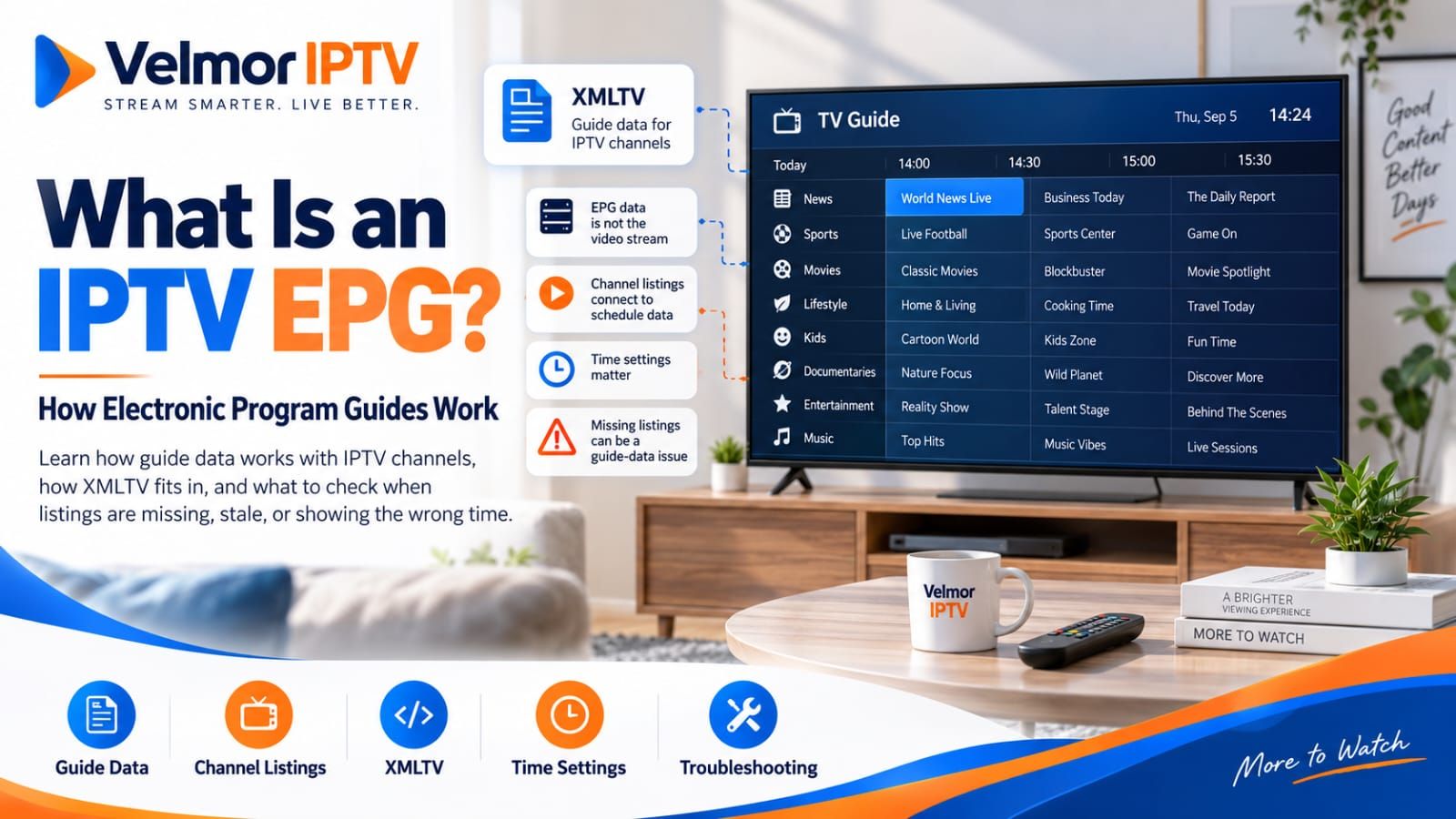
An IPTV EPG is electronic schedule data that a compatible player associates with television channels. It can show program titles, start and end times, descriptions, and other available listing details. The guide helps you browse what is on without opening every channel, but it is not the video stream itself.
That distinction explains a common puzzle: a channel can play normally while its listing is missing, stale, attached to the wrong channel, or shown at the wrong time. Guide data can also appear even when a particular stream is temporarily unavailable. This guide focuses on EPG education and diagnosis; the broader introduction to what IPTV is remains separate.
- EPG data describes scheduled programs; it does not carry the video.
- XMLTV is one common guide-data format, but it is not required by every service or player.
- A working guide depends on the source, channel mapping, player behavior, device settings, and network retrieval.
- Troubleshoot the stream and the guide as separate systems before changing settings.
What Is an IPTV EPG?
EPG stands for electronic program guide. In an IPTV player, it is the schedule or grid associated with live television channels. A useful EPG answers practical questions such as what is showing now, what begins next, and when a scheduled program ends. The exact fields and amount of future schedule data depend on the guide source and what the player can display.
The EPG may be supplied through a separate guide feed, retrieved through a compatible service interface, or associated with playlist information. Its presence is not guaranteed by the word IPTV. Before expecting a particular guide feature, confirm what the provider makes available and what the selected player supports.
What Information Does an EPG Display?
At minimum, guide data commonly associates a program title and scheduled start time with a channel. A source may also include an end time, subtitle or episode name, description, category, language, episode numbering, rating, or image. Players do not necessarily display every field they receive.
- Channel identity or reference used to associate the listing.
- Program title and scheduled starting time.
- Scheduled ending time when it is available.
- Description, episode, category, rating, or artwork when supplied and supported.
The open-source XMLTV format definition illustrates this separation with channel records and program records that reference a channel and contain scheduled times and descriptive fields. It documents a format, not a promise that every real guide contains complete data.
EPG Data and IPTV Streams Are Different
A video stream delivers playable media. An EPG delivers descriptive schedule information. A player may combine them in one screen, but they can fail independently. If a channel plays with “No information” in the guide, the stream path is working while the guide source, mapping, or display path needs attention.
The reverse can happen too. Previously retrieved schedule data may remain visible even if the player cannot currently open the stream. Guide presence therefore does not prove current playback, authorization, network reachability, or source availability. Keeping these paths separate prevents unrelated login or network changes when only listing data is affected.
What Is XMLTV?
XMLTV is a commonly used XML-based format for television listings. A document can describe channels and scheduled programs, including the channel reference, starting time, optional ending time, title, and optional descriptive fields. An IPTV player that supports XMLTV may accept a local file or a remote guide URL.
Some playlist-based configurations use one source for channel and stream entries and another source for XMLTV guide data. The player retrieves both and tries to match each channel to the correct guide record. The Kodi IPTV Simple Client documentation is one primary example of software supporting separate M3U and XMLTV locations, local caching, and documented refresh-related behavior. Other players can work differently.
XMLTV is neither universal nor automatically accurate. Some services use another guide mechanism, some players do not accept XMLTV, and a valid XML file can still be incomplete, outdated, or mismatched. Avoid downloading guide files from questionable sources or uploading provider details to an unknown guide generator.
How M3U Playlists Work With EPG Data
M3U primarily supplies playlist and stream information. Extended playlist metadata may include channel identifiers, names, group information, or a guide-source reference that helps a compatible player associate playlist entries with listings. The guide data itself may still come from a separate source.
Do not assume that an M3U URL automatically contains an EPG or that channel names alone will always produce a match. For the full access-format distinction, see the M3U vs Xtream Codes guide. This article stays focused on what happens after guide data and channels reach a player.
How Xtream-Style Access Can Handle EPG Data
Some Xtream-compatible player and server implementations can expose EPG information through structured client-facing responses. After authentication, a compatible player may retrieve available guide data and associate it with the corresponding live channels. This can reduce separate manual input, but it does not guarantee that listings exist or are complete.
Implementation, provider configuration, account access, player support, and guide availability all vary. An Xtream-style login does not automatically mean that an EPG is included. End users only need the access details and input method supplied for their compatible player; panel administration, reseller operations, account creation, and server-management procedures are outside this guide.
How Channels Are Matched to Guide Listings
A player needs a reliable way to associate a playable channel entry with its schedule record. Depending on the input format and player, matching may use channel identifiers first, then names or other mapping metadata. The method is implementation-specific, so identical-looking channel names are not proof of a correct match.
A mismatch can create several symptoms. One working channel may show no listings, a schedule may appear beside the wrong channel, or only part of a channel list may populate. Renaming or manually editing records without understanding the player’s supported mapping behavior can make the problem harder to diagnose.
| Observed symptom | Guide-related possibilities | Useful first boundary |
|---|---|---|
| One channel has no guide | Missing source record or channel mismatch | Check whether other channels populate |
| Many channels have no guide | Source unavailable, not configured, or not refreshed | Confirm the expected guide source and retrieval |
| Listings appear on the wrong channel | Identifier or mapping mismatch | Compare the affected channel with the source information |
| Guide exists but channel will not play | Separate stream, authorization, or network problem | Troubleshoot playback rather than EPG presentation |
Why Is My IPTV EPG Missing or Incomplete?
A missing guide can result from unavailable source data, an unconfigured guide source, failed retrieval, incomplete provider listings, mismatched identifiers, player filtering, or a refresh that has not completed. First determine whether the problem affects one channel, one category, or the entire guide. That scope is more useful than immediately changing several settings.
If channels play but guide data is absent everywhere, confirm that the player supports the issued guide method and received the expected provider information. If only a few channels are affected, incomplete source coverage or mapping differences become more plausible. Neither pattern proves that the player or provider is always responsible.
Why Does My IPTV EPG Show the Wrong Time?
Incorrect program times may involve timestamps in the guide source, the player’s interpretation of those timestamps, daylight-saving-time handling where applicable, or the device’s own date, time, and timezone. A consistent shift across many channels suggests a different category of problem from one incorrect listing on one channel.
Verify the device date, time, and timezone first. Then compare the provider or guide-source information and consult the current player documentation. Some players offer an EPG offset control, but not all do, and there is no universal offset that is correct for every source, region, or device. Apply a manual offset only when the documented behavior and observed pattern justify it.
Why Is My IPTV Guide Not Updating?
Guide data can become stale when the source has not been updated, the player has not reached its next refresh, cached data remains in use, a temporary network problem blocks retrieval, or the provider changes the source. Players use different schedules and caching rules, so no single refresh interval applies to every setup.
Use the player’s documented refresh method where one exists and allow it to finish. Clearing cached EPG data should be treated as a player-specific troubleshooting step, not universal advice: use it only when the player publisher documents the option and you understand that the guide may remain empty until it downloads again. Avoid random DNS changes, VPN experiments, and router modifications for an isolated guide problem.
Who Controls the EPG: Player or Provider?
EPG behavior crosses several boundaries. The player, provider or guide source, and device configuration can each affect the result. Responsibility should be assigned from evidence about the symptom, not from which logo appears on the screen.
| Part of the setup | May be responsible for | Important qualification |
|---|---|---|
| Player | Retrieval of supported sources, display, refresh behavior, local time interpretation, and mapping controls | Only for features the player implements |
| Provider or guide source | Available data, source completeness, identifiers, metadata, and schedule accuracy at the source | Coverage and delivery methods can vary |
| Device or user configuration | Device clock, timezone, network access, and entered player settings | Correct settings cannot create missing source data |
A comparison across supported devices or players can help isolate the boundary. If the same guide is missing everywhere, source availability or shared account configuration becomes more plausible. If it appears correctly elsewhere, focus on the affected player, device settings, and local retrieval before assuming the source is wrong.
How to Troubleshoot IPTV EPG Problems
Troubleshoot in a fixed order and change one factor at a time. Record whether the problem affects playback, guide data, or both, along with the affected channels and time. That evidence makes later provider contact more useful.
- Confirm whether the affected channel itself plays. If it does, treat the immediate problem as guide data rather than stream access.
- Determine whether one channel, several channels, or the entire guide is affected.
- Confirm that the player supports and has received or configured the expected guide source.
- Check the device date, time, and timezone without applying a guessed offset.
- Allow or trigger the player’s documented EPG refresh method where supported.
- Compare another supported device or reputable compatible player when practical and permitted.
- Compare provider-issued access or guide details with the original message without sharing credentials.
- Contact the provider when source data appears unavailable, incomplete, or incorrect after the earlier checks.
The general IPTV setup overview covers the broader device and player sequence, while the Smart TV guide and Fire TV guide retain device-specific setup ownership. For other account and service questions, use the IPTV FAQ.
What to Check During an IPTV Trial
A trial is a practical time to observe guide behavior on the same device, player, network, and viewing location you expect to use later. Check whether guide data appears for channels important to you, whether listings populate consistently, whether displayed times appear correct, and whether guide navigation works reasonably with your controls.
Distinguish an isolated missing listing from a guide-wide problem and remember that a short trial cannot guarantee future coverage or accuracy. Review the supported device guidance before testing, then use the 24-hour free trial for 1 device if it fits your evaluation. Velmor does not guarantee a particular EPG format, channel coverage level, guide accuracy, or refresh interval.
IPTV EPG Questions
What Does EPG Mean in IPTV?
EPG means electronic program guide. It is schedule data that a compatible player associates with television channels to show available program titles, times, and other listing details.
Is an EPG the Same as an IPTV Stream?
No. The EPG describes scheduled programming, while the stream carries playable video. Either path can work while the other has a problem.
What Is XMLTV?
XMLTV is a commonly used XML-based format for television schedule data. Supporting players may load it from a file or URL, but it is not required or supported in every IPTV setup.
Does Every IPTV Service Include an EPG?
No. Guide availability, coverage, format, and completeness vary by provider, source, account, channel, and player support. Confirm the expected behavior before relying on it.
Why Are Channels Working but the EPG Is Missing?
Playback and guide data use separate paths. Missing listings may involve the guide source, retrieval, refresh, player support, or channel matching even when the video stream works.
Why Does My IPTV EPG Show the Wrong Time?
Check source timestamps, device time and timezone, daylight-saving handling, and the player’s documented interpretation or offset controls. Do not assume one universal correction.
Why Is My EPG Not Updating?
The source may be stale or temporarily unreachable, or the player may be following its own refresh and caching behavior. Use only the refresh steps documented for that player.
Can an M3U Playlist Use a Separate EPG?
Yes, some M3U-based setups pair the playlist with a separate XMLTV or other supported guide source. The exact configuration depends on the provider and player.
Does Xtream-Style Login Always Include EPG Data?
No. Compatible implementations may expose guide data, but provider configuration, account access, available listings, and player support all vary.
Can EPG Information Differ Between Players?
Yes. Players may retrieve, cache, match, filter, refresh, and display the available source differently. Compare supported configurations before deciding that the underlying data changed.