
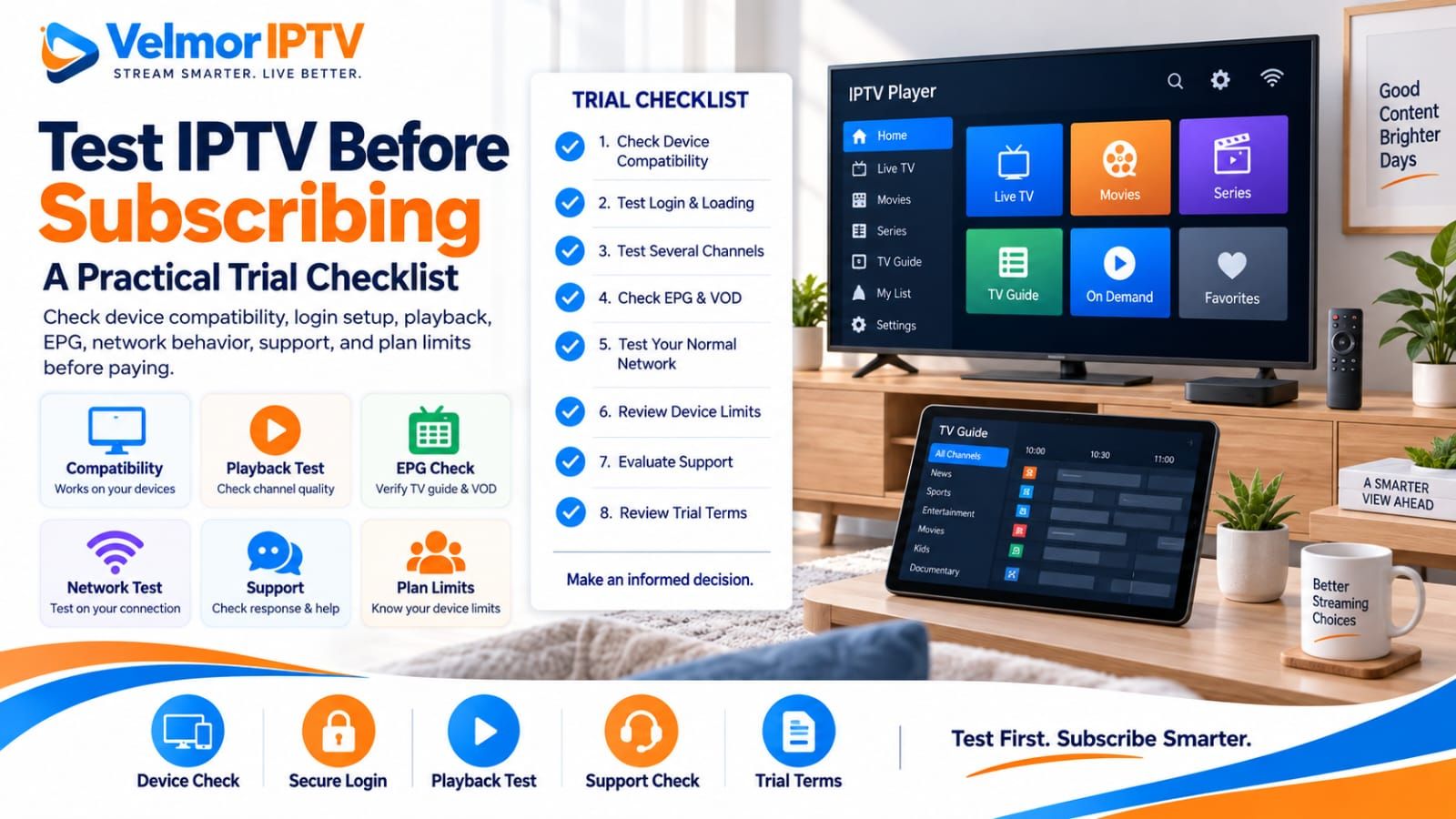
The best way to test IPTV before subscribing is to use a legitimate trial, when one is offered, under the same conditions planned for paid use. A plan that suits one household may be a poor choice for another because the devices, apps, number of simultaneous viewers, budget, and appetite for a longer commitment are different. A useful comparison therefore starts with your own setup—not a provider’s biggest headline.
This practical IPTV trial checklist covers the real device, trusted player, normal network, access setup, live and on-demand sampling, guide behavior, session rules, support, and commercial terms. A trial reduces uncertainty but does not guarantee future performance. If you first need a short explanation of the technology, start with what IPTV is and how it works. Then return here to evaluate a subscription as a buyer.
If you are first deciding whether an IPTV service or your locally available cable option better fits the household, use the IPTV vs cable TV comparison before comparing individual IPTV subscriptions here.
- Prepare your intended device, trusted player, and normal network before the trial starts.
- During the trial, verify login, category loading, live samples, on-demand navigation, EPG data, and device limits.
- Before paying, confirm the support route and read the subscription, renewal, privacy, and refund terms.
Why Test an IPTV Service Before Subscribing?
A good fit is the subscription whose practical requirements match your situation and whose costs and terms you understand before paying. Compare providers with the same questions rather than letting one attractive feature decide the purchase.
Device and App Compatibility
Confirm the exact television, streaming device, phone, or tablet you intend to use. “Works on Smart TV” is not specific enough: television operating systems and app stores differ by brand, model, region, and software version. Ask which access format is supplied and whether a reputable player available on your device supports it.
Compatibility also includes usability. A technically compatible app may still have a remote-control layout or sign-in process that you dislike. If several people will use the service, consider whether each person can navigate the chosen app comfortably.
The player and subscription are separate. Confirm the provider’s access format, then use the IPTV player selection guide and the player vs provider explanation to avoid judging a service through an incompatible app. If the provider names M3U or Xtream Codes, the format comparison explains the distinction without asking you to expose credentials.
Test the Login and Initial Setup
Use only the access details and format supplied through the provider’s legitimate channel. Confirm that the player accepts them, completes sign-in without repeated errors, and loads the expected categories. Do not publish or forward credentials, playlist addresses, portal details, or account identifiers while asking for help.
A successful login is only the first checkpoint. Close and reopen the player, confirm the account can load again, and note whether the device clock, app permissions, or an outdated player causes a repeatable problem. The IPTV login and playlist troubleshooting guide explains how to separate credentials, URL entry, and player issues without guessing.
Check Movies, Series, and On-Demand Navigation
Open the movie and series areas if they are included in the trial. Check whether categories, search, titles, descriptions, and episode lists are understandable on your chosen screen. Start a few items you would realistically watch, move within an item if the player supports seeking, stop it, and return to the catalog. This tests navigation and player behavior without treating catalog size as proof of quality.
Record what fails and where. An empty category, a title that does not start, and a player that freezes during navigation are different observations. Repeating the same step once can help establish whether the behavior is consistent, but a short trial still cannot demonstrate permanent availability or future catalog contents.
Test the EPG and Channel Guide
Open the electronic program guide and check whether listings appear for several channels, whether the displayed times match your local clock, and whether moving between current and upcoming programs is practical with your remote or touch screen. Refresh the guide once using the player’s normal control if data is missing.
EPG data and video playback are separate parts of the experience: a channel can play while its listing is absent or out of date. Note that distinction when contacting support. For focused steps, use the IPTV EPG guide rather than repeatedly reinstalling an otherwise working player.
Test Different Times of Day
If the trial window permits, test once during a quieter period and again during the hours when your household normally watches. Use the same device, player, network location, and a small repeatable sample. Different results may reveal a time-specific pattern, but they do not by themselves identify whether the cause is the service, your internet connection, household traffic, Wi-Fi interference, or the selected stream.
Write down the approximate time and the action observed—such as slow startup, buffering, an app error, or normal playback. That evidence is more useful than saying the service “did not work.” Do not spend the entire trial repeatedly stress-testing one channel; the aim is a representative view of normal use.
| Question | What to verify | Why it matters |
|---|---|---|
| Will it fit my setup? | Exact device, operating system, app, and access format | Broad compatibility language can hide device-specific limits |
| What am I buying? | Duration, connection count, total price, and renewal terms | Comparable totals prevent misleading headline-price comparisons |
| Can I evaluate it? | Trial method, duration, and what you can test | Your own setup provides more relevant evidence than a generic promise |
| What happens if I need help? | Support channel and available setup guidance | You know where to take a device or account question |
Confirm Your Device and Player Compatibility First
Write down the devices you will actually use. Smart TVs can be convenient because no extra box is required, but compatible apps vary. Fire TV and other streaming devices have their own app availability and installation flows. Android TV and Google TV devices may offer different player choices again. Phones and tablets can be useful for personal viewing or testing, provided the service and chosen app support them.
Check the provider’s supported device guidance against the exact model and software you own. Then review the setup process before purchase. Knowing whether setup uses a playlist, credentials, a portal address, or another supported method helps you verify that your preferred player can accept the supplied format.
Use the matching device guide when available: Smart TV, Fire TV, Android TV or Google TV, iPhone or iPad, Windows PC, Mac, or Roku. These guides help you test the real platform instead of assuming that instructions for one operating system transfer to another.
Check Device and Connection Limits
Owning four screens does not automatically mean you need four connections. The important question is how many screens may need to use the subscription at the same time, subject to the provider’s plan terms. One person who moves between a living-room television and a tablet has a different need from a household expecting several simultaneous viewing sessions.
Ask the provider what its device count means. Does it refer to registered devices, simultaneous connections, or another limit? Do not assume these terms are interchangeable. The IPTV device limits guide covers the concept in depth. Test only within the stated account rules and never attempt to bypass a session limit.
- List each device by model and operating system.
- Identify the player app you can obtain from a trusted source.
- Count likely simultaneous viewers, not every screen in the home.
- Confirm the provider’s meaning of “device” or “connection.”
- Check that your network reaches each viewing location reliably.
Test on Wi-Fi and Your Normal Home Network
Test from the room and network connection you expect to use after subscribing. If the television normally uses Wi-Fi, a trial conducted only beside the router on Ethernet does not represent that setup. If you normally use Ethernet, test that path. Keep ordinary household use in mind, because video calls, downloads, cloud backups, games, and other streams can compete for local and internet capacity.
When playback struggles, compare a legitimate mainstream streaming app on the same device and network, then try the IPTV item again. This does not prove which party is responsible, but it can show whether the problem affects the whole connection or only one path. The IPTV buffering troubleshooting guide provides a structured sequence for checking Wi-Fi, device, player, and service factors.
Keep the Test Conditions Comparable
Change one factor at a time: use the same item and device when comparing Wi-Fi with Ethernet, or the same network and item when comparing two trusted players. If everything changes together, a better result gives you little evidence about what helped. Avoid relying on a universal speed number because resolution, encoding, congestion, Wi-Fi quality, and device performance vary.
A trial that performs acceptably under your normal conditions is useful evidence for that moment and setup. It is not a guarantee of future uptime, every channel, every title, or every location. Treat the result as one input alongside transparent terms, support access, and an affordable commitment.
Test Several Live Channels, Not Just One
A free trial turns abstract compatibility statements into a test on your own setup. Sample several legitimate live channels or content categories you would ordinarily use rather than selecting one favorable example. Switch between them at a normal pace, return to an earlier choice, and observe startup, audio, picture, and navigation behavior. The goal is representative use, not proof that every future session will be identical.
- Playback experience: observe ordinary starting, stopping, and switching on your connection.
- Navigation and usability: check whether the app and remote controls feel manageable.
- Setup process: note whether you can install the player and enter the supplied details correctly.
- Connection performance: test from the room and network path you will commonly use.
- Device suitability: confirm that the selected app behaves acceptably on your exact device.
Velmor provides a direct WhatsApp request for a 24-hour free trial for 1 device. A request does not guarantee approval, activation timing, availability, performance, or a later refund. Wait for confirmed access before beginning your planned checks.
Evaluate Support and Read the Trial Terms
Buyer due diligence continues after compatibility and price. Confirm the available support channel and use it for a specific pre-purchase question if you have one. The quality of a single response cannot guarantee future service, but the interaction can show whether the channel is active and whether your question is understood.
Review activation wording without assuming a delivery time that is not stated. Check whether renewal is manual or automatic, when the subscription begins, and what happens at the end of the selected period. If these points are not clear in published information, ask before placing the order.
Read the terms of service, refund policy, and privacy policy. Pay attention to what information you may need to provide, why it is needed, and how account or contact details are handled. Never send passwords, payment credentials, identity documents, or other sensitive information merely because an unknown person asks for them.
For general answers, consult the Velmor IPTV FAQ, or use the contact page for the published support route. Published pages are useful reference points, but they do not replace asking about a term that is important and unclear for your particular order. For wider diagnosis, follow the general IPTV troubleshooting guide instead of sharing credentials or disabling device security.
Red Flags to Avoid Before Paying
Warning signs are prompts to investigate, not automatic proof that a provider is fraudulent. Pause when a sales claim is absolute, the buying terms are vague, or the requested information seems unrelated to providing the service. Ask for clarification and decide whether the answer is specific enough to rely on.
- Guaranteed uptime or uninterrupted service without meaningful conditions or limitations.
- Very large content-count claims that are difficult to understand or verify before purchase.
- Guaranteed picture or streaming quality regardless of device, source, app, or network conditions.
- A price that does not clearly identify duration, device or connection count, and total due.
- Refund or renewal terms that are absent, contradictory, or supplied only after payment.
- Universal compatibility claims that do not account for model, operating system, app, or region.
- Requests for unnecessary passwords, financial credentials, identity material, or remote device access.
- Instructions to disable device security, install an unknown APK, or obtain a player from an unclear source.
- Credentials posted publicly, inconsistent pricing or terms, or an inability to explain the basic setup.
Keep screenshots or written records of the offer and terms you relied on. If a provider pressures you to pay before answering a reasonable question, step back. A legitimate purchasing decision should leave room to verify the basics.
IPTV Trial Checklist Before You Subscribe
Use this checklist before paying. A missing answer does not always mean the service is unsuitable, but it identifies what you still need to clarify.
- My exact device and selected app appear suitable for the provider’s access method.
- I know how many simultaneous devices or connections I need.
- I understand what the plan’s device count means.
- I know the total price due, not only an effective monthly figure.
- I understand the subscription duration and when it begins.
- I have reviewed whether a trial is available and how to request it.
- I know the support or contact method I can use.
- I have read the applicable service, renewal, privacy, and refund terms.
- I tested the service on my intended setup when a trial was available.
- I have not shared unnecessary sensitive information.
Using the Velmor IPTV Free-Trial Path
Velmor centralizes its current one-device plans on the pricing page so buyers can compare the available durations there instead of relying on a copied figure in an editorial guide. Availability and terms can change, so check the current page at the time of your decision.
The direct 24-hour free trial for 1 device on WhatsApp is the evaluation path. Submitting a request does not guarantee approval or activation, and a short trial does not guarantee future content availability, performance, uptime, or refund eligibility. Apply the checklist above to your own device, connection needs, normal network, and terms review.
IPTV Trial Questions
What should I check before buying an IPTV subscription?
Check the exact device and app, supplied access format, permitted device or connection count, total cost, duration, trial availability, support channel, renewal behavior, privacy information, and refund terms. Resolve any point that materially affects your decision before paying.
Should I test IPTV before subscribing?
Use a trial when one is available and its terms suit you. Test on your intended device, app, network, and viewing location. A trial cannot guarantee future performance, but it can reveal immediate compatibility, setup, or usability problems.
How many devices should my IPTV plan support?
Base the choice on the number of simultaneous viewing sessions you genuinely need and the provider’s definition of a device or connection. Do not assume that owning several screens requires the same number of connections, or that one connection may be used simultaneously everywhere.
Is a longer IPTV subscription always better value?
No. A longer plan may have a lower effective monthly cost, but it requires a larger upfront commitment. Consider a shorter duration while learning how the service fits your setup, then compare the total cost and terms again before extending.
What device do I need for IPTV?
You need a device and reputable player compatible with the access method supplied by the provider. Possibilities can include supported Smart TVs, streaming devices, Android TV or Google TV hardware, phones, or tablets, but compatibility must be checked for the exact device and app.
How important is internet performance for IPTV?
It is a key part of the viewing path. Connection stability, Wi-Fi coverage, competing household traffic, the device, and the player can all affect the experience. Test from the location you plan to use and troubleshoot the local network before attributing every playback issue to one cause.
What should I check in refund and renewal terms?
Check whether renewal is manual or automatic, when a subscription starts and ends, which situations may qualify for a refund, any deadlines or required steps, and how to contact the provider. Ask for clarification when the published wording does not answer a question important to your purchase.
Do all IPTV services offer a free trial?
No. Trial availability, duration, eligibility, and included access depend on the provider’s current terms. Use the official request path when one exists, confirm what the trial includes, and do not assume that submitting a request guarantees approval or immediate activation.
Should I test IPTV at different times of day?
Yes, when the trial window allows it. Test during the hours you normally watch as well as another period, while keeping the device, player, network location, and sample reasonably consistent. A difference identifies a pattern worth investigating, not its cause.
Does a good IPTV trial guarantee long-term performance?
No. A trial shows how the available service behaves on your setup during a limited window. It cannot guarantee future uptime, catalog availability, network conditions, app behavior, or support outcomes. Use it to reduce uncertainty, then choose a commitment whose terms and cost you accept.
How to Decide Whether the Service Fits You
The best IPTV subscription is the one that fits your actual setup and a commitment you understand. Start with the exact device and app, decide how many simultaneous connections you need, compare total costs at the same device count, test when possible, and review support, renewal, privacy, and refund information before paying.
Do not let the lowest headline price or the broadest promise replace those checks. A disciplined comparison produces a more useful answer than a universal ranking because it reflects your equipment, household, budget, and tolerance for commitment.