
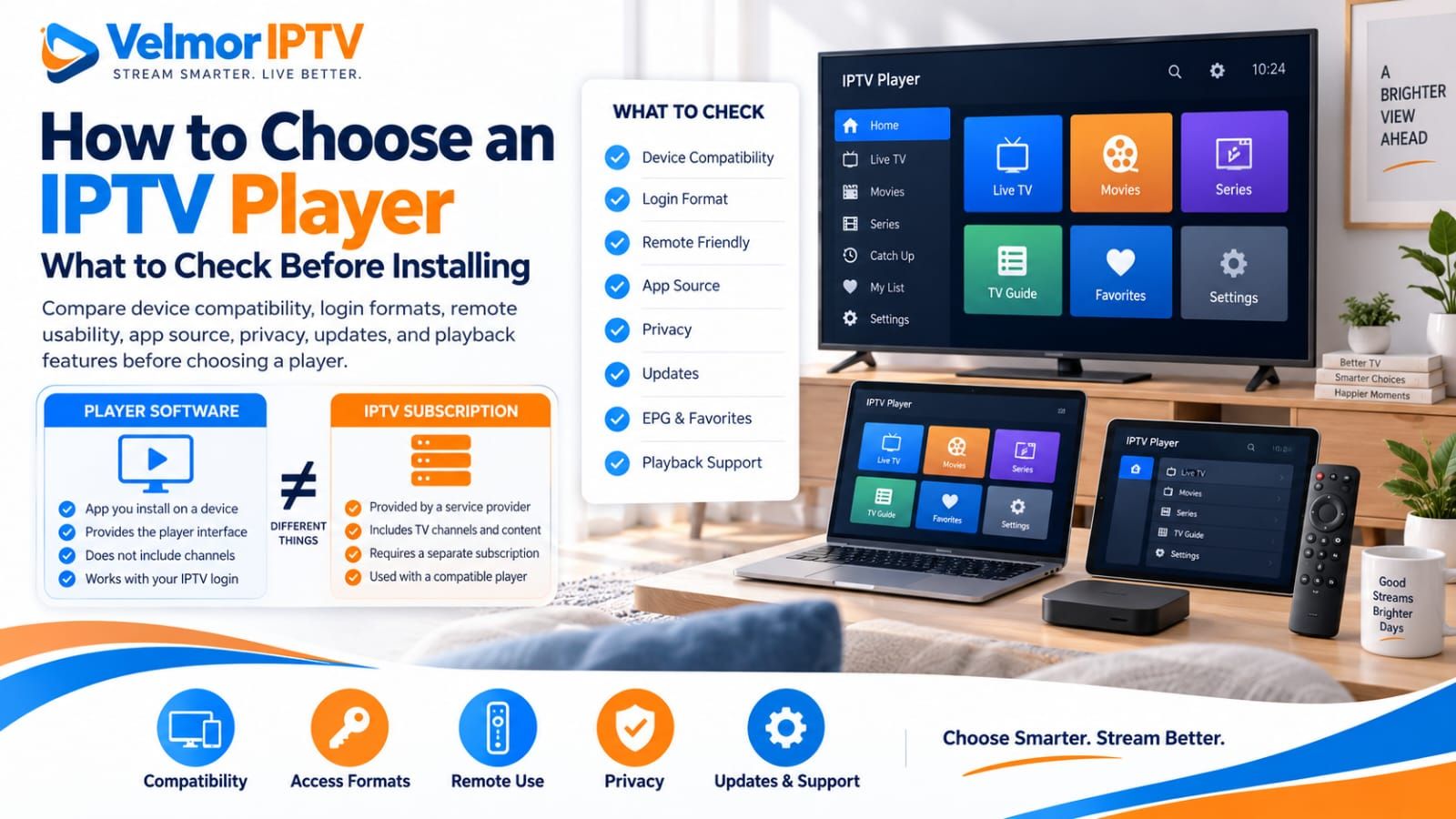
Choose an IPTV player by working backward from your real setup: the exact device, the access format supplied by your provider, the controls you will use, and the features you need. Then verify the publisher, app source, permissions, update history, support route, and payment terms. There is no single player that is best for every device and service.
The player is only one part of an IPTV setup. It must be compatible with both your device and your authorized provider access, but it does not create a subscription or guarantee that a stream will work. If the service is unfamiliar, begin with what IPTV is and how it works. This guide stays focused on choosing software rather than repeating device-specific installation steps.
What Is an IPTV Player?
An IPTV player is an application that receives supported access information and presents authorized live channels, on-demand items, and available guide data on a screen. Depending on the app, it may organize categories, provide search and favorites, display an electronic program guide, and pass supported media to its playback engine.
A player is not automatically a content provider. Some apps are general-purpose interfaces that work with compatible access from different providers; others use provider-specific methods. The player can only display what the authorized source makes available in a format it understands. Installing one does not create channels, repair missing source data, or grant permission to view content.
IPTV Player vs IPTV Subscription
The player is software; the provider supplies authorized service access. These can be separate products from separate companies. A player may charge for an app license or premium features, while the provider may charge separately for the subscription, plan duration, and permitted device or connection count. Paying one party does not necessarily pay the other.
Support responsibilities can also be separate. Installation, interface behavior, local settings, and player-account questions usually belong to the app publisher. Login authorization, account status, source data, and provider-issued details usually belong to the provider. A useful support request identifies which layer produced the symptom rather than assuming the company whose logo is visible controls the whole chain.
Before buying, confirm whether the player fee covers one device or an account, what features it unlocks, and whether provider access has separate terms. The IPTV subscription buyer’s guide covers provider evaluation in more depth.
Start With Device Compatibility
A suitable player must support the exact environment where you plan to use it. Smart TV, Fire TV, Android TV, Google TV, phone, tablet, and computer are broad categories, not guarantees of app availability. Model, operating-system version, region, hardware capability, storage, and the publisher’s current distribution choices can all matter.
- Smart TV: identify the brand, model, operating system, region, and built-in app store.
- Fire TV: verify the exact device generation and current Fire TV listing rather than assuming Android availability transfers to it.
- Android TV or Google TV: look for a television edition designed for remote navigation, not merely a phone app.
- Phone or tablet: confirm the supported mobile OS and whether touch or external-screen use fits your plan.
- Computer: verify the supported desktop OS or documented browser experience and its update requirements.
Use the site’s device overview as a starting point. For installation details, follow the dedicated Smart TV guide, Fire TV guide, or Android TV and Google TV guide. Publisher documentation and the listing visible on your exact device remain the better evidence for current availability.
Check Which Access Formats the Player Supports
The player must accept the method your provider actually issues. Common high-level patterns include a username and password with a server address, playlist or M3U-style input, and provider-specific access methods. Labels vary across apps, and formats that appear similar are not automatically interchangeable.
Ask the provider which supported method it supplies, then compare that answer with the player’s current documentation or input screen. Do not guess a server address, alter a URL, convert a playlist through an unknown website, or assume broad IPTV wording proves support. The M3U vs Xtream Codes comparison explains two common approaches without requiring you to change issued details.
A complete playlist URL can contain credentials or tokens. Treat it as private even when it looks like an ordinary web address. If the method is rejected, preserve the non-sensitive error wording and use the login and playlist troubleshooting guide rather than repeatedly changing fields.
Remote Control and TV Navigation Matter
On a television, remote usability is a core compatibility requirement. An app can install and play video yet remain frustrating if focus is hard to see, the back button behaves unpredictably, search expects touch input, or common controls require a mouse. Test the normal viewing path, not only the login screen.
- Move through categories and long lists with the directional pad.
- Open an item, reveal controls, stop playback, and return to the previous screen.
- Use search and the on-screen keyboard without losing focus.
- Add and remove a favorite, then find it again after reopening the app.
- Move through the guide without unintended channel changes.
- Check text size, focus visibility, caption controls, and other accessibility needs.
A keyboard or verified companion-entry method may ease initial credential entry when supported, but daily viewing should still work with the controls you intend to keep nearby. Test with household members whose accessibility or navigation needs influence the decision.
App Source, Publisher, and Trust Signals
Prefer a player from the official or otherwise trusted distribution source for the device, with a publisher identity you can verify. Compare the publisher name across the store listing, official website, privacy policy, and support information. Look for coherent branding, real documentation, visible update history, and a support route that does not require posting credentials publicly.
Store presence is a useful signal, not a guarantee of quality or permanent availability. Reviews can reveal recurring device or navigation complaints, but they do not prove provider compatibility. Give more weight to current documentation, an exact platform listing, clear terms, and behavior you can test.
Do not disable device protections or install an unknown APK because a video or message promises a premium or cracked version. If a legitimate publisher distributes outside a built-in store, independently verify its official source, integrity guidance, update path, platform support, privacy information, and support policy. If that chain cannot be established, choose a trusted alternative.
Privacy, Permissions, and Account Safety
An IPTV player may handle provider credentials, viewing activity, favorites, guide data, and device or account identifiers. Review the privacy policy before entering access details. It should identify who operates the app, what data is collected, why it is used, how it is shared or retained, and how users can contact the publisher.
Compare requested permissions with the functions you intend to use. Network access is expected for streaming, while storage access may support importing a local playlist. A permission should still have an understandable purpose. Be cautious when an app requests unrelated contacts, messages, call logs, accessibility control, device administration, or other broad access without a clear documented need.
Enter provider credentials only into the verified player or legitimate provider flow. Do not upload them to playlist checkers, converters, shared credential tools, forums, or public support posts. Use a unique player-account password if the app requires its own account, enable supported protections, and remove access from devices you no longer control.
EPG, Search, Favorites, and Categories
Organization features determine how quickly you can reach what you are authorized to watch. Check whether search covers the content types you use, favorites remain easy to manage, categories can be hidden or reordered where supported, and recently viewed information behaves in a way you accept. More features are not automatically better if the interface becomes harder to navigate.
If an electronic program guide matters, confirm that the player supports the guide method available from the provider and offers usable grid navigation on your device. Guide display, refresh, matching, and timezone handling can differ by player. A player cannot create listings the source does not provide. The IPTV EPG guide explains those responsibilities.
Evaluate these features with representative data during a legitimate trial when possible. A polished empty demo does not show how the app handles your normal list size, category structure, guide source, remote, or device resources. Respect account and simultaneous-use terms when testing more than one screen.
Playback Format and Codec Compatibility
Playback depends on a chain that includes the source format, media container, video and audio codecs, stream characteristics, player engine, operating system, and device hardware. No player can honestly promise universal codec support or guaranteed playback for every source. Check publisher documentation for the formats relevant to your provider and device.
Some players expose more than one supported playback engine or hardware-decoding choice. Treat these as documented compatibility options, not universal fixes. Changing several playback, buffer, decoder, and network settings at once makes the result harder to interpret. Preserve defaults unless current documentation or a controlled comparison gives you a reason to adjust one setting.
Test several ordinary items because one successful stream proves only that combination worked at that moment. Check audio, captions, aspect ratio, channel changes, and recovery after leaving playback. For persistent freezing or stopping, use the buffering troubleshooting guide to separate player, device, network, route, and source observations.
Updates, Support, and Long-Term Maintenance
Choose software that shows signs of responsible maintenance. Check when the current listing was updated, whether recent versions support your device, how release notes describe changes, and whether the publisher provides current setup and support information. A recent date alone does not prove quality, but a long-abandoned listing deserves closer scrutiny.
Review how updates are delivered. Store-managed updates are convenient, while other legitimate distribution methods need a clear publisher-controlled update and verification process. Avoid copies that cannot establish their origin or future update path. Compatibility can change when an operating system, app, or provider method changes, so record the working player version and device details before troubleshooting.
Support quality is easier to assess before purchase than during a failure. Look for documentation that separates installation, billing, player activation, and provider-access questions. Confirm a private channel exists for account matters, but never send a complete playlist URL or password through a public or unverified contact.
Free vs Paid IPTV Players
A free player can be suitable when it supports the device and access method, offers acceptable privacy and permissions, and provides the usability you need. A paid player is not automatically more compatible, secure, or stable. Price is one criterion after the technical and trust checks, not a substitute for them.
A paid app may charge for removing limitations or advertising, unlocking premium features, licensing one or more devices, account synchronization, support, or ongoing updates. Determine whether the charge is one-time or recurring, whether it applies per device or account, which features remain without payment, and what happens if the app leaves your platform.
Keep player cost separate from provider subscription cost. If a trial or free tier exists, use it to evaluate compatibility and daily navigation within its terms. Do not purchase based on an assumption that a paid decoder, larger buffer, or premium label will solve an unidentified credential, guide-source, network, device, or provider problem.
When Trying Another Player Is a Useful Test
Comparing another trusted, compatible player can help identify whether a symptom may be player-specific. Keep the device, network, provider access, test item, and time as consistent as practical. If the symptom appears in one player but not the other, focus on differences in compatibility, version, engine, settings, or local data before changing unrelated parts of the setup.
The comparison is evidence, not proof of one party’s fault. A second player may retrieve data differently, use another decoder, cache an earlier result, or make a different request. It does not repair invalid credentials, restore missing source data, override account restrictions, or prove every network path is healthy. Switching players also does not always fix buffering.
Change only one variable and write down the outcome. If both trusted players reject the same issued details, move to focused login diagnosis. If both start but exhibit the same playback interruption, investigate the wider delivery chain. Respect device and simultaneous-connection terms throughout the comparison.
What to Check Before Installing
Use a short pre-installation review to reject obvious mismatches before the app receives credentials or device access. The goal is not to predict perfect performance; it is to establish a traceable publisher, a suitable platform build, an accepted input method, understandable permissions, and a safe support and update path.
| Check | Why it matters | What to verify |
|---|---|---|
| Device compatibility | Installation and usable performance depend on the exact environment | Device model, OS version, region, storage, and TV or mobile edition |
| Access format | The player must understand the provider-issued method | Supported username/server, playlist/M3U-style, or provider-specific input |
| App source | Origin affects trust and future updates | Official store or verified publisher-controlled distribution |
| Remote usability | TV viewing depends on predictable controls | Focus, back behavior, search, guide movement, and playback controls |
| EPG support | Guide data and stream playback are separate capabilities | Supported guide method, display, refresh, and timezone behavior |
| Search and favorites | Organization affects daily use | Coverage, persistence, category handling, and remote accessibility |
| Privacy and permissions | The app may handle credentials and viewing data | Privacy policy, data practices, and permissions tied to clear functions |
| Update history | Platforms and formats change over time | Recent maintenance, release information, and supported update path |
| Support channel | Player and provider issues need different owners | Publisher documentation and a legitimate private support route |
| Price and payment model | Player and provider fees may be separate | Free limits, one-time or recurring price, device scope, renewal, and refund terms |
- Confirm the exact device and find the correct platform edition.
- Match the player’s accepted input with the provider-issued format.
- Verify the publisher and obtain the app from a trusted source.
- Read the privacy policy and review requested permissions.
- Check maintenance information, documentation, and support routes.
- Review remote or touch usability, accessibility, and essential organization features.
- Keep platform protections enabled and keep credentials private.
What to Check Before Paying
Before paying for a player, identify exactly what the payment unlocks, which devices or accounts it covers, how long access lasts, whether renewal is automatic, and where billing support is handled. Review cancellation and refund terms available at purchase. Take care with activation sites: confirm that the domain and instructions belong to the verified publisher.
Test the free version or legitimate trial first when one is offered and sufficient to check your setup. Confirm the required provider method works, the remote is practical, essential audio and guide behavior is acceptable, and ordinary navigation is stable. A brief test reduces uncertainty but cannot guarantee future compatibility, uptime, or unchanged platform availability.
If you are also evaluating Velmor service access, current one-device plan choices and totals are maintained on the pricing page. The site also provides a 24-hour free trial for 1 device for checking the intended device and compatible player before a longer service commitment. For a question not answered in the IPTV FAQ, use the contact page without posting credentials.
IPTV Player Questions
What Is an IPTV Player?
An IPTV player is software that accepts a supported access method and presents authorized streams, available guide data, and organization features on a device. It is the viewing interface, not automatically the content subscription.
Does an IPTV Player Include a Subscription?
Not necessarily. Player software and provider access are often separate products with separate fees, terms, accounts, and support. Read both offers before installing or paying.
How Do I Know If a Player Works on My Device?
Check the exact device model, operating-system version, region, and current platform listing against the publisher’s documentation. Installation alone is not enough; verify controls, access format, and representative playback on that device.
Which Login Formats Should a Player Support?
It should support the format your authorized provider actually supplies. That may be username and server-style fields, playlist or M3U-style input, or a provider-specific method. No single format is required for every setup.
Is a Paid IPTV Player Better Than a Free One?
Not automatically. Compare compatibility, trust, privacy, navigation, maintenance, and needed features first. Payment may unlock useful capabilities or support, but price alone does not establish quality.
Why Does One Player Work While Another Does Not?
Players can differ in accepted inputs, playback engines, codecs, device integration, guide handling, caching, and settings. A controlled comparison can make a player-specific difference more plausible without proving the exact cause.
Can Changing the Player Fix Buffering?
Sometimes a compatible player difference affects playback, but changing apps does not fix every source, provider, route, home-network, or device problem. Compare one variable at a time and investigate the wider chain when the symptom remains.
Is It Safe to Enter Provider Credentials Into Any Player?
No. Verify the publisher and distribution source, review privacy and permissions, and use only a trusted compatible app. Never share complete access details with public forums, converters, checkers, or unknown support contacts.
What Should I Check Before Installing an IPTV Player?
Confirm device and access-format compatibility, publisher identity, trusted distribution, remote or touch usability, required features, permissions, privacy policy, update history, and a legitimate support route.
Can I Use the Same Player on Multiple Devices?
That depends on the player’s license and account terms as well as the provider’s device and simultaneous-use rules. Verify both separately before activating or testing additional devices.