
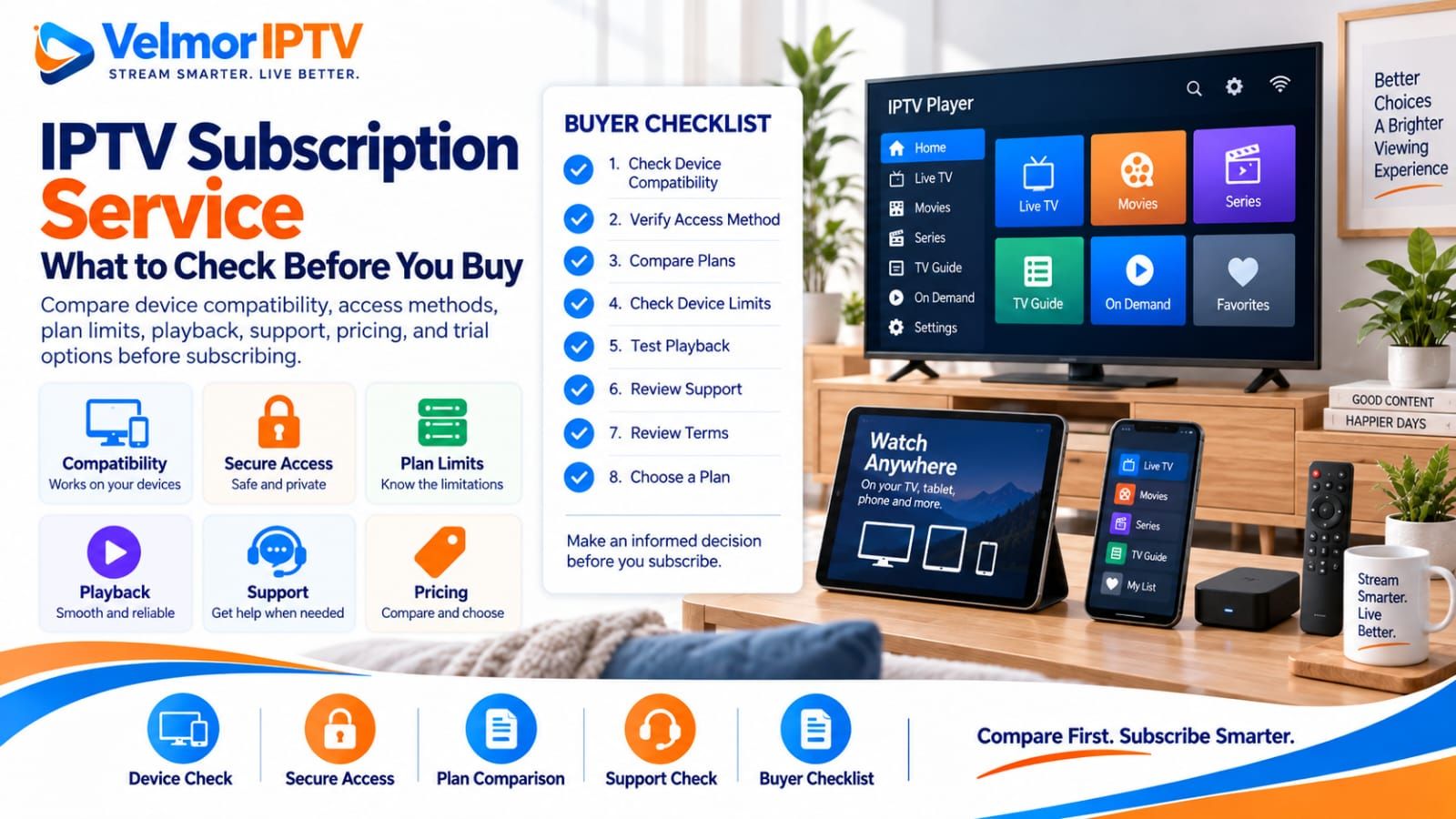
A good IPTV subscription service should fit the device you will actually use, the access method your trusted player supports, your preferred subscription duration, your device needs, your normal network, and your expectations for help. No single service is automatically the best fit for every buyer.
Before paying, confirm the compatible device and player, provider-issued access format, plan duration, listed device count, simultaneous-use rules, displayed price, support route, trial availability, and applicable subscription terms. This buyer guide explains how to compare those points without treating a low price, large catalog claim, or one short test as proof of overall quality.
- Identify the exact device and a trusted compatible player.
- Confirm the provider-issued access format before paying.
- Check the subscription duration and listed number of devices.
- Ask what the device count means for simultaneous use.
- Review the displayed price and what the selected plan covers.
- Check whether representative playback and EPG testing is available.
- Confirm the support contact and setup instructions.
- Read trial, renewal, refund, privacy, and security terms that are actually published.
What Is an IPTV Subscription Service?
An IPTV subscription service supplies account access to television or on-demand content delivered through an internet connection, subject to the provider’s plan and terms. It is different from the player application installed on a television, streaming device, phone, tablet, or computer.
The service side normally defines the available access method, subscription period, account limits, support route, and commercial terms. The player side displays the supplied access on a compatible device. Understanding that separation helps buyers ask the right party about an account issue and prevents the assumption that installing an app automatically includes a subscription.
A provider should be evaluated on the details it actually publishes or confirms for the selected plan. Features, devices, trials, refunds, and simultaneous-use rules can differ, so avoid transferring one provider’s terms to another. If you are new to the delivery method itself, begin with the plain-language guide to what IPTV is and how it works.
What Should You Check Before Buying?
Start with fit, not the largest feature list. Write down the exact device, operating system, player, number of intended users, likely simultaneous viewing needs, preferred commitment length, and normal network location. These facts turn broad sales language into questions that can be answered before purchase.
Next, compare only confirmed information: which access format is issued, which device count is included, what the total displayed price covers, how support is contacted, whether a trial request exists, and what current renewal or refund wording says. A missing answer is a reason to ask for clarification, not a reason to invent a favorable interpretation.
| Decision area | What to verify | Why it matters |
|---|---|---|
| Compatibility | Exact device, player, and access format | A general compatibility claim may not cover your platform |
| Plan scope | Duration, device count, and simultaneous-use meaning | The same device number can be described differently by different providers |
| Commercial terms | Displayed total, renewal wording, and stated refund conditions | You can compare commitments rather than headline figures |
| Evaluation | Trial option, representative tests, and support route | Direct evidence can reveal an immediate mismatch |
IPTV Service vs IPTV Player
The IPTV provider supplies the subscription or account access; the IPTV player is software that reads a supported access format and presents it on your device. A player does not normally create provider access, and a subscription does not make every player compatible.
Confirm both sides before buying. Ask what access method the provider issues, then check whether your intended app supports it and is available from a trusted source for your platform. The IPTV player vs provider guide explains the roles, while the IPTV player selection guide covers compatibility, privacy, and usability in more depth.
If one player fails, collect the exact error and verify compatibility before deciding that the service itself is defective. Equally, changing players will not repair expired access or incorrect provider-issued details. Keep account credentials private and never submit them to third-party credential validators.
Check Device Compatibility First
Check the actual device you plan to use, including its operating system, model, region, and app-store availability. “Works on TV” is too broad because Smart TV platforms, streaming devices, and desktop or mobile systems do not offer identical apps or installation methods.
Review the central supported device guidance and then use the closest platform guide: Smart TV, Fire TV, Android TV or Google TV, iPhone or iPad, Windows PC, Mac, or Roku. Platform guidance reduces guesswork without claiming universal compatibility.
Compatibility also includes everyday control. A technically supported app may still be awkward with a particular remote, screen size, or household member. Where a legitimate trial is available, use the intended device rather than a convenient substitute that will not represent normal use.
Check the Provider Access Method
Verify the provider-issued access method before paying because different services may supply different formats. Your intended player must accept the specific format you receive; a general statement that an app “supports IPTV” is not enough to establish that match.
Common names buyers may encounter include playlist-based access and account-style credentials, but the exact setup belongs to the provider and player involved. The M3U vs Xtream Codes comparison explains the practical distinction without turning this buyer guide into a technical setup tutorial.
Use details only in the intended trusted player. Do not paste a playlist URL, username, password, portal address, or token into public posts, shared-account forums, scrapers, or validation websites. If access repeatedly fails, use the login and playlist troubleshooting guide and the provider’s official support path.
Compare Subscription Duration and Device Count
Choose a duration that matches the commitment you are comfortable making. A shorter subscription can reduce the amount committed while learning the service, whereas a longer duration may suit someone who has already verified compatibility and accepts the applicable terms. Neither choice is automatically better for every household.
Select the device count from actual needs rather than buying capacity simply because it is available. List the screens you expect to use and distinguish total owned devices from concurrent viewing needs. Compare prices only after holding the duration and device count constant, otherwise two offers may represent different plan scopes.
Do not assume that a larger device option grants unlimited use, account sharing, or simultaneous playback everywhere. The provider’s current description and terms determine what the selected option covers.
Understand Device Limits and Simultaneous Use
A listed device count and a simultaneous-connection allowance are not automatically the same thing. One may describe included devices, registered installations, concurrent sessions, or another provider-defined limit. Ask what the number means for the exact plan before purchase.
Estimate the maximum number of viewers likely to watch at the same time, then compare that need with the permitted use explained by the provider. A person moving between a living-room television and a phone has a different requirement from several household members watching concurrently.
The detailed IPTV device limits guide explains these distinctions and the questions to ask. Test only within permitted account rules; do not attempt to bypass limits, create unauthorized sessions, or share access publicly.
Check Playback and Everyday Usability
Evaluate playback on the real device, player, network, and viewing location you expect to use. Check whether a representative sample starts, stops, and switches normally, but keep the evidence in proportion: one successful channel does not prove the full service, and one failed item does not prove every category is unusable.
Usability matters alongside playback. Observe how quickly you can find categories, return to a previous screen, use search, and control content with the intended remote or touch interface. A service can be technically accessible yet still be a poor practical fit for a household.
A legitimate trial can reduce uncertainty when one is available. Follow the IPTV service trial checklist for representative testing, and use the buffering troubleshooting guide when playback problems need structured network, device, player, and service checks. A short test cannot guarantee future reliability.
Check EPG, Search, and Navigation
Check whether the electronic program guide appears, whether displayed times are reasonable for your location, and whether listings align with channels well enough for normal use. EPG data is separate from video playback, so a missing listing and a stream that will not start should be recorded as different issues.
Test search and category navigation with realistic tasks rather than scrolling only through the first screen. On-demand sections, where included, should be evaluated for understandable categories, titles, episode lists, and player-supported controls. Do not treat a claimed catalog size as a substitute for usable navigation.
For guide-specific checks, consult the IPTV EPG guide. For broader faults that cross login, playback, device, network, or guide behavior, use the general IPTV troubleshooting guide instead of repeatedly changing unrelated settings.
Evaluate Support Before Paying
A clear support route matters because setup and account questions are often specific to a device, player, and access method. Confirm where to ask for help and whether the published instructions explain what information is useful without requesting secrets.
If you contact support before buying, ask one specific question about your intended setup or plan. Judge whether the answer addresses that question clearly and safely; do not turn one response into a guarantee of future response times or outcomes. The public contact page and Velmor IPTV FAQ provide the current contact and general-information paths.
Safe troubleshooting should not require your payment password, email password, identity documents without a stated legitimate need, remote administration access, or disabling device security. Account details needed for setup should be handled privately through the provider’s stated channel.
Compare IPTV Pricing Carefully
Compare the total displayed price for the same duration and device count, then consider whether the resulting commitment fits your budget and verified needs. Price is a decision factor, not proof of compatibility, content availability, support quality, or future performance.
Use the provider’s current pricing source rather than an old screenshot or copied table. Velmor keeps its current one-device plan durations on the IPTV plans and pricing page. Review the displayed total for your chosen duration before ordering on WhatsApp.
The IPTV pricing guide explains how to compare totals and effective monthly figures without confusing them. If you are ready to buy an IPTV subscription, the pricing page—not this editorial guide—remains the authoritative commercial destination.
Check Trial, Renewal, and Refund Terms
A legitimate trial may help verify immediate compatibility and usability if the provider offers one. Not every provider offers a trial, and submitting a request does not guarantee approval, activation, availability, or a particular result. Velmor’s current 24-hour free trial for 1 device on WhatsApp should be reviewed before making a request.
Read what the trial includes, when it begins, and which account or device rules apply. Then review the paid subscription duration, renewal behavior, cancellation process, payment expectations, and any refund wording that is actually published. A trial does not create refund rights or replace the applicable terms.
If a commercial term that matters is missing or ambiguous, ask before paying and retain the answer. Do not assume automatic renewal, manual renewal, cancellation timing, or refund eligibility when the provider has not stated it.
Common Red Flags Before Buying
Red flags are reasons to pause and investigate rather than automatic proof of wrongdoing. A careful buyer should ask for clarification when core plan details conflict, important terms are absent, or requested actions create unnecessary security risk.
- Pricing that does not identify the plan duration, device option, or total due.
- Device limits or simultaneous-use rules that cannot be explained clearly.
- Instructions to install an unknown APK, use a pirated app, or disable device security.
- Credentials posted publicly, recycled from forums, or offered through account generators.
- Guaranteed uptime, channel availability, 4K quality, compatibility, or refunds without valid terms.
- No clear support or contact route for setup and account questions.
- Plan descriptions, prices, or renewal wording that change between pages or conversations.
- Pressure to pay before basic device, player, access-format, and plan questions are answered.
Keep a record of the plan and terms you relied on. Never use playlist scrapers, credential validators, shared accounts, reseller panels, or trial-abuse tactics to “verify” a service. Those actions create security, privacy, authorization, and account risks rather than reliable buying evidence.
How to Compare IPTV Providers
Compare IPTV providers with the same written criteria: device compatibility, access format, plan scope, simultaneous-use explanation, setup clarity, support route, trial option, subscription terms, and pricing transparency. A consistent framework is more useful than a “top providers” list built on unverifiable claims.
Create a small table for your own decision and record only facts from current provider pages, confirmed answers, and representative tests. Mark unknown items as unknown. Do not award a provider credit for a feature you have merely assumed, and do not treat one provider as universally best because it suits one device or household.
For a broader fit-based framework, see the Best IPTV Subscription buyer guide. That article owns general best-fit comparison; this page stays focused on evaluating the service relationship and terms before purchase.
How Velmor IPTV Plans Are Organized
Velmor’s current pricing page lists one-device subscription plans with durations of 1 month, 3 months, 6 months, and 12 months. The displayed price changes by duration, so review the current total on the pricing page instead of relying on a copied figure here.
The device number should not be interpreted as unlimited simultaneous streaming. Confirm how the selected option applies to your intended use. Review the setup guidance for the existing setup path, the 1-device free trial on WhatsApp if you want to test compatibility first, and the contact route for a question that the published information does not answer.
These paths describe current options; they do not guarantee activation, availability, performance, refunds, or compatibility with every device and player. Base the decision on the displayed plan, your actual setup, and the terms you can verify.
IPTV Subscription Service Questions
What is an IPTV subscription service?
It is a provider-managed subscription or account that supplies supported access to IPTV content under a stated plan and terms. A separate compatible player is commonly used to open that access on an intended device.
How do I choose an IPTV service?
Match the service to your exact device, trusted player, access format, device needs, preferred duration, normal network, support expectations, and acceptable terms. Compare confirmed details with the same checklist instead of choosing from price or marketing claims alone.
What should I check before buying an IPTV subscription?
Verify compatibility, access method, duration, device count, simultaneous-use meaning, total price, support route, trial availability, renewal wording, stated refund conditions, and privacy or security expectations before paying.
Is an IPTV player included with a subscription?
Do not assume so. The player and provider subscription are separate, and the app’s price or availability depends on the selected platform and developer. Confirm which trusted player supports the provider-issued format.
How many devices should I choose?
Choose from the devices and viewing needs you genuinely expect to use, then confirm the provider’s definition of the selected option. Buying more devices than needed adds cost without resolving an incompatible player or unclear usage rule.
Does device count mean simultaneous connections?
Not automatically. A provider may distinguish included devices, registered devices, and simultaneous sessions. Check the current plan wording or ask support rather than assuming those terms are interchangeable.
Should I test an IPTV service before buying?
Use a legitimate trial when one is available and its terms suit you. Test the intended device, player, network, and representative content, while remembering that a short test reduces uncertainty but cannot guarantee future performance.
How do I compare IPTV providers?
Use the same criteria for each provider: compatibility, access format, plan clarity, permitted use, setup, support, trial options, terms, and transparent pricing. Keep unknown items visible rather than filling them with assumptions.
Are cheaper IPTV plans always better?
No. A lower price does not establish compatibility, usability, support quality, content availability, or reliability. Compare like-for-like plan scope and choose a total and commitment you accept after checking the practical requirements.
Where can I see Velmor IPTV plans?
Use the current Velmor IPTV pricing page to compare the available one-device subscription durations and review the displayed total before ordering on WhatsApp.