
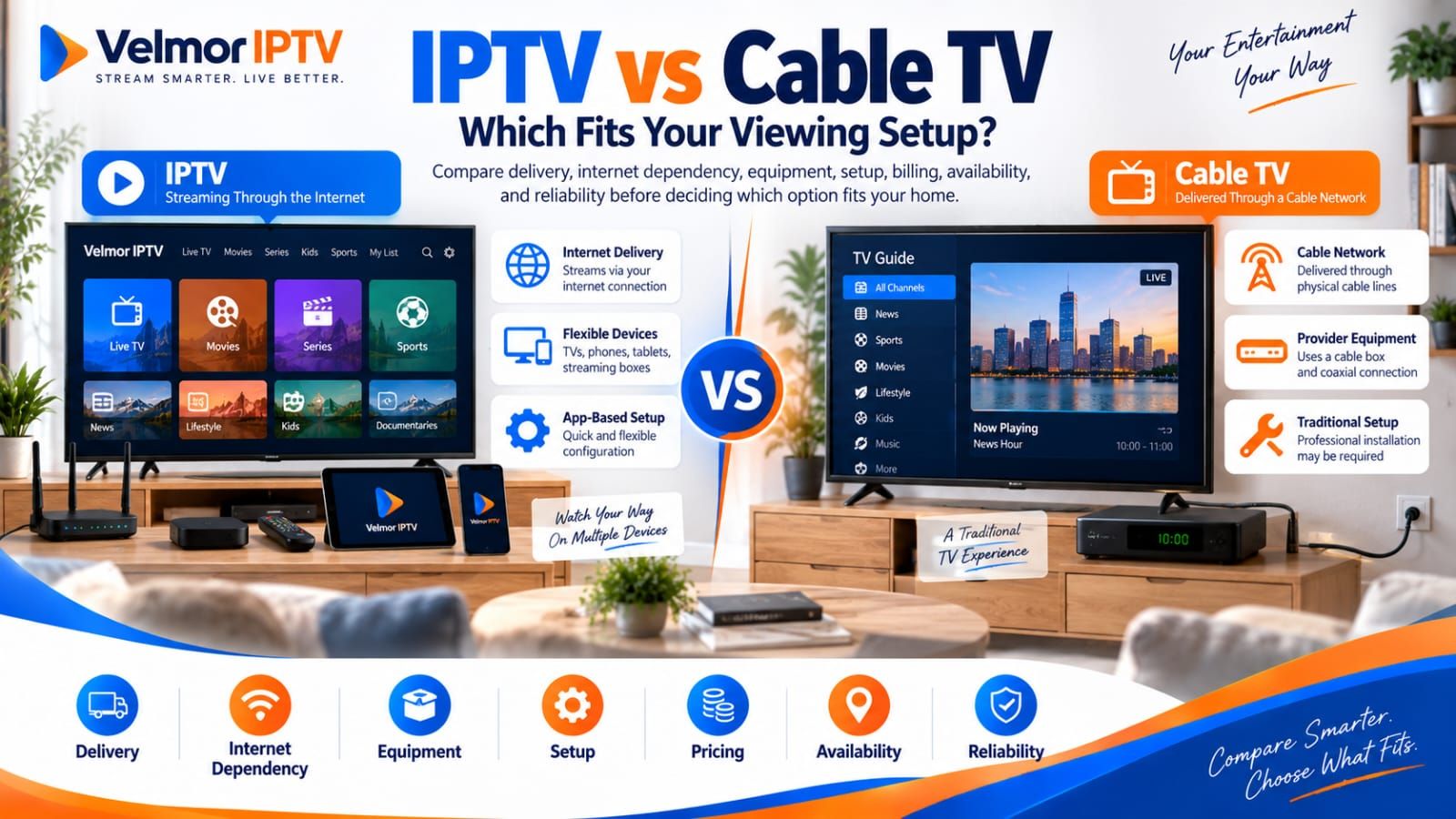
Choosing between IPTV and cable TV is not a contest with one universal winner. The useful comparison is between a specific IPTV or internet-delivered television service and the cable options actually available at your address. Their delivery paths, equipment, terms, channel packages, and points of failure can differ, so the better fit depends on verified local details and the way your household watches.
This guide focuses on that decision. It does not rank providers or assume that every service sold as IPTV uses the same technical model. For the broader definition and terminology, begin with what IPTV is and how it works. Then use the comparison below to identify the questions that matter before you switch.
IPTV vs Cable TV: The Short Answer
IPTV and cable TV can both deliver live television, but they may reach the viewer through different networks, equipment, applications, and account arrangements. An internet-delivered option may suit a household with compatible devices, suitable network conditions, and provider terms matching its viewing habits. Cable may suit a household that prefers its local operator's package, equipment, installation model, or bundled services.
Neither category establishes the final price, channel lineup, picture quality, contract, or reliability. Those are properties of a particular service, package, location, and setup. A fair decision starts by writing down what each named provider offers at the same address and for the same household needs.
| Comparison point | IPTV or internet-delivered service | Cable TV |
|---|---|---|
| Delivery path | Confirm whether delivery uses a managed IP network, the public internet, or a provider-specific combination. | Confirm how the local operator delivers service and which parts use its physical distribution network. |
| Internet dependency | Check the service requirements, stream behavior, and household network capacity and stability. | Ask whether television, interactive features, or companion apps depend on connected components in the package. |
| Required equipment | Verify whether an app, compatible device, credentials, or provider equipment is required. | Verify which operator box, compatible equipment, card, gateway, or television connection is required. |
| Installation | Check whether setup is self-managed, app-based, or provider-assisted. | Check whether self-installation, existing wiring, or a technician appointment applies at the address. |
| Device flexibility | Confirm supported apps, platforms, locations, simultaneous use, licensing, and account rules. | Confirm supported televisions, boxes, companion apps, locations, and account rules. |
| Channels and packages | Compare the exact current lineup, rights, package limits, and local-content availability. | Compare the local operator's current lineup, tiers, add-ons, and regional availability. |
| Billing and contracts | Read total price, billing period, renewal wording, device count, and cancellation conditions. | Read total price, equipment charges, promotion terms, billing period, and cancellation conditions. |
| Reliability dependencies | Consider provider or source, internet path, home network, player, device, and power. | Consider operator network, local faults, in-home wiring or equipment, provider equipment, and power. |
| Availability | Confirm eligibility, regional restrictions, rights, app availability, and provider terms. | Confirm physical service area, address eligibility, package, and installation availability. |
| Switching considerations | Test the intended lawful setup where a trial is offered, without treating it as a guarantee. | Confirm notice timing, final billing, service changes, and provider-specific equipment obligations. |
What Are You Actually Comparing?
The word IPTV can describe more than one consumer experience. Formally, the International Telecommunication Union definition of IPTV emphasizes multimedia delivered over IP-based networks managed to support service quality, security, interactivity, and reliability. In everyday marketing, people may also use IPTV for live-TV subscriptions delivered through apps over an ordinary internet connection. Those models should not be treated as technically identical.
Cable is not one universal product either. A local operator may combine television, internet, telephone, apps, on-demand functions, and provider equipment in different ways. Packages, installation choices, promotions, and service areas vary. Keep player software separate too: installing an app does not itself create a television subscription.
How IPTV and Cable Deliver Television
Cable television traditionally reaches a home through the cable operator's physical distribution network and provider-specific service architecture. The final connection may use existing wiring and operator or compatible equipment. Modern cable services can include internet-connected guides, apps, account systems, or other IP-based components, so ask how the selected service actually works.
IP-based television carries media using IP networking. A managed telecom IPTV service may use a controlled provider network, while another consumer service may deliver live television through an app over the public internet. The ITU's IP-based TV terminology glossary distinguishes managed IPTV from other IP-based television concepts. Ask each provider how access is delivered and supported instead of inferring the answer from a label.
Internet Dependency and Home Network Requirements
An internet-delivered service needs a working path from the provider to the viewing device. Experience can depend on stream bitrate, resolution, codec, network overhead, simultaneous household traffic, Wi-Fi conditions, device capability, player behavior, and service implementation. One universal Mbps recommendation cannot describe every service or home.
Treat published speed guidance as specific to the provider that issued it. Ask for current requirements, then evaluate intended quality, device, connection type, room, and normal household activity. Cable may use a path separate from general household internet, but connected features may add dependencies. For playback diagnosis, use the IPTV buffering guide.
Equipment and Installation Responsibilities
An IPTV or internet-delivered setup may involve an app, compatible television or streaming device, provider-issued credentials, or provider equipment. Some services support self-setup; others supply or configure hardware. Confirm who provides each component, whether it costs extra, and who supports it.
Cable setup may involve an operator box, compatible equipment, existing wiring, self-installation, or a technician visit. None applies universally. Address eligibility, wiring, operator policy, and package can affect the process. Compare written requirements with what you own. The device overview and general setup hub cover those specialist IPTV topics.
Device Flexibility and Viewing Locations
App-based viewing can make several device categories possible, but availability depends on the exact app, operating system, model, region, provider rules, licensing, and permitted simultaneous connections. Working on one Smart TV does not prove support for every television, phone, tablet, or computer.
Cable operators may support boxes, compatible television equipment, mobile apps, or web viewing, with separate limits away from the primary address. Compare devices, concurrent viewers, and permitted locations. Check official app stores and publisher documentation; device-specific installation remains with the existing Smart TV and Fire TV guides.
Channels, Packages, and Local Availability
Compare the channels and programs your household names as important, not headline catalog counts. Availability changes with provider, package, location, rights, account terms, and time. A category claim cannot establish whether a local channel, sports event, language package, or on-demand title is included.
Cable lineups depend on local operator, service area, tier, and add-ons. Internet-delivered lineups depend on provider and regional conditions. Obtain current lineups for the exact address or account. Seeing a channel name does not itself establish authorized access; review provider terms and lawful availability in the relevant location.
Pricing, Billing, and Contract Questions
Compare total household cost for one defined scenario. Record subscription total, billing period, device or connection count, equipment, installation, add-ons, promotion end dates, applicable taxes, renewal wording, and cancellation conditions. Do not compare one introductory figure with another service's full ongoing total.
Contracts and billing vary. Neither category guarantees a particular commitment, cancellation fee, refund rule, or equipment obligation. The IPTV pricing guide explains totals and duration without inventing a market average. If Velmor is one option, consult current Velmor pricing rather than copying its matrix here.
Reliability: Which Dependencies Matter?
Reliability is a dependency chain, not a permanent property of either label. An internet-delivered chain may include provider or source, internet connection, route conditions, home network, player, device, and power. A weakness in several layers can produce the same visible interruption.
Cable can depend on operator network, local infrastructure, in-home wiring or equipment, provider hardware, account state, and power. Connected functions may add dependencies. Ask about service responsibility and local support. A short trial can reveal present compatibility or playback issues, but cannot guarantee future uptime, channel continuity, or identical performance.
What to Check Before Switching From Cable
Do not cancel an existing service until the proposed replacement has been checked against real household requirements. Retain copies of terms or answers that affect the decision. This checklist is a starting point, not legal advice or a universal cancellation process.
- List channels, programs, languages, and local content the household uses.
- Confirm current package and regional availability with each provider.
- Verify intended devices, apps, access method, and supported locations.
- Check simultaneous-use needs against permitted connections.
- Compare total cost, billing, add-ons, promotions, renewal wording, and applicable charges.
- Confirm installation, equipment needs, ownership or rental terms, and support responsibility.
- Read provider-specific cancellation timing, final billing, refund, and equipment-return conditions.
- Evaluate internet and home-network conditions with intended devices and normal traffic.
- Confirm a clear support route before paying or cancelling.
- Use only lawfully available services and review terms for the relevant location.
- Use a trial where offered, treating it as a limited observation rather than a guarantee.
A parallel period may help when practical: keep cable active while confirming that the replacement covers essential viewing in the intended environment. Whether that is affordable or permitted depends on the offers. It does not remove the need to review cancellation dates or provider-specific equipment obligations.
When Cable May Be the Better Fit
Cable may fit better when the local operator provides a preferred package, useful bundle, suitable address-level availability, or equipment and support model the household values. Someone who prefers operator-managed boxes and a familiar remote may reasonably choose that experience over managing apps across devices.
Cable may also fit when a required local channel or package is verified there but not through the internet-delivered option. The decision rests on the exact lineup and terms, not a claim that cable always has better coverage, support, or reliability.
When an Internet-Delivered Service May Be the Better Fit
An internet-delivered service may fit a household that prefers app-based viewing, has verified compatible devices, accepts the setup, and has suitable network conditions. Its provider-specific terms may also align with the needed device count, billing preference, and viewing locations.
That fit remains conditional. Apps change, rules can limit simultaneous use or location, and desired channels may not be available. Confirm those details instead of assuming internet delivery means more flexibility, fewer commitments, lower cost, or access everywhere.
IPTV vs Cable TV Questions
Is IPTV the Same as Streaming TV?
Not always. Formal IPTV terminology commonly refers to television over managed IP networks, while streaming TV often means video over the public internet. Consumer marketing uses the words broadly, so identify the actual delivery and service model.
Does IPTV Require an Internet Connection?
An internet-delivered IPTV service requires a working internet path. A managed IPTV service also uses IP networking, but its access network may be controlled by the provider. Confirm the particular service requirements.
Can IPTV Completely Replace Cable TV?
It can for some households, but not universally. The answer depends on channels, local content, devices, simultaneous viewing, internet conditions, terms, support, and lawful availability. Verify those needs before cancelling cable.
Is IPTV Always Cheaper Than Cable?
No. Compare current total cost for the same needs, including subscriptions, devices, equipment, installation, add-ons, internet service, promotions, and contract conditions where applicable.
Which Is More Reliable, IPTV or Cable?
Neither is universally more reliable. They have different dependency chains, and performance varies by provider, address, equipment, network conditions, and time. Compare local evidence and support responsibility.
Do I Need New Equipment to Switch From Cable to IPTV?
Not necessarily. An existing device may work, but some services require a particular app, access method, or provider equipment. Verify the exact device, operating system, and app availability first.
Can IPTV Include Local Channels?
Some services may include them, but availability depends on provider, package, location, rights, and account terms. Check the current lineup and never assume every local channel is included.
What Should I Test Before Cancelling Cable?
Test intended devices, app or player, access method, essential channels, simultaneous use, navigation, and playback under normal household traffic. Confirm billing, cancellation timing, support, lawful availability, and provider-specific equipment obligations. A trial is evidence, not a promise.
Make the Decision Using Local Facts
Build the decision from two current offers and one realistic household scenario. Define required content, devices, locations, simultaneous viewers, support preference, and acceptable commitment. Then verify availability, terms, equipment, and responsibilities in writing.
Choose cable when its local package and operating model fit better. Choose an internet-delivered service when its verified compatibility, terms, and delivery model fit better. Keep both when each solves a different need, or delay switching when essential facts remain unclear. The goal is not to make one category win; it is to avoid cancelling a known service for an assumption.