
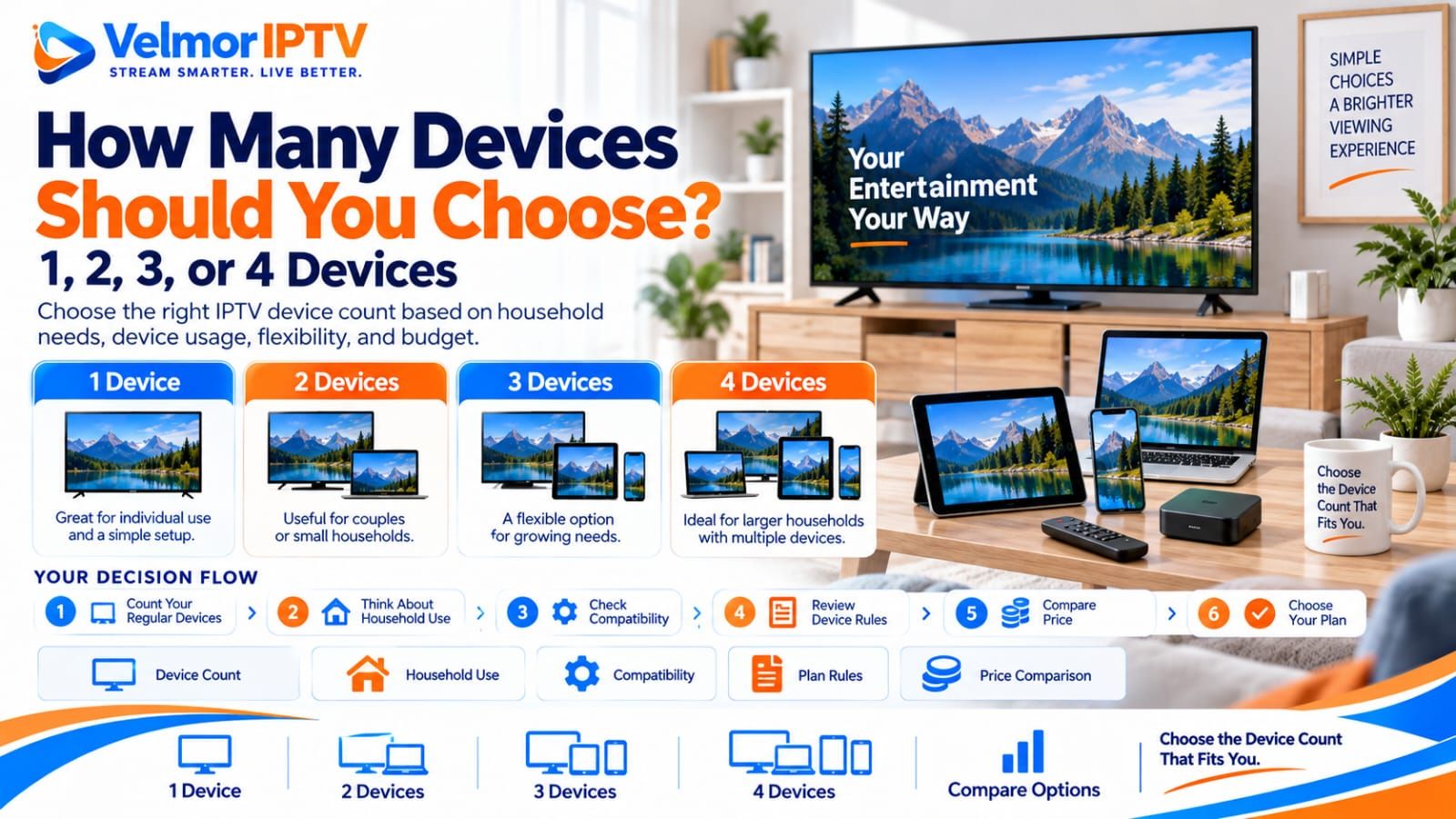
Choose IPTV subscription devices by counting the screens you genuinely expect to configure, the people who will use them, and how stable those needs are. One device may be enough for a single main screen, while two, three, or four devices may fit households with a broader regular device mix. More devices are not automatically better.
The right choice also depends on subscription duration, budget, compatibility, and the provider’s actual device and session rules. A listed device count must not be treated as a promise of the same number of simultaneous streams. Select the smallest option that clearly covers intended permitted use, then verify the current plan details before paying.
- List every television, streaming box, phone, tablet, or computer you realistically expect to use.
- Separate regularly used devices from occasional or hypothetical devices.
- Identify whether the screens belong to one person or several household members.
- Confirm compatibility before adding a device to the count.
- Ask what the listed device option means under the provider’s rules.
- Do not assume device count equals simultaneous connections.
- Compare the current total for the chosen duration and device option.
How Many Devices Should You Choose for an IPTV Subscription?
Choose the number of devices that matches your expected regular setup, not the largest option available. Start with one device for one primary screen, consider two for a pair of regularly used screens, and consider three or four only when the household can identify that many compatible devices it expects to use.
Your count should reflect real plans rather than every device you own. A phone that might be used once is different from a television used every evening. Equally, choosing too few devices can create a mismatch if several household members genuinely need their own regular screens under the plan’s permitted rules.
This is a purchase-planning decision. For technical questions about registered devices, sessions, and concurrent viewing, use the IPTV device limits and simultaneous connections guide. Every current Velmor plan is for 1 device; compare the available durations on the pricing page.
What Does Device Count Mean in an IPTV Plan?
A device count is a selectable plan attribute that needs a provider-specific definition. It may relate to included devices, permitted installations, registered screens, account use, or another plan rule. The number alone does not explain how sessions work or whether several screens may play at the same moment.
Before choosing, ask what qualifies as a device and how changes are handled. A Smart TV, streaming stick, phone, tablet, or computer might each be treated according to the provider’s rules. Reinstalling an app, replacing hardware, or changing players should not be assumed to preserve or transfer a device allocation automatically.
| Option | May fit | What to verify |
|---|---|---|
| 1 device | One primary compatible screen | Whether one regular device covers the intended setup |
| 2 devices | Two regular screens or modest flexibility | Which two devices and any session rules |
| 3 devices | Several regularly used household screens | Actual need for the third device and compatibility |
| 4 devices | A broader established household device mix | All four intended devices and provider restrictions |
When a 1-Device IPTV Plan Makes Sense
A one-device option may fit a solo viewer, a household centered on one television, one streaming box, or a buyer who wants the simplest possible starting plan. It can also be reasonable while verifying whether the service and chosen player suit the primary setup.
One device does not mean the buyer owns only one screen. It means the selected plan should cover the one intended device under the applicable rules. If the buyer regularly moves between a television and tablet, one device may or may not fit; that depends on how the provider defines device use and changes.
Do not choose one device solely because it has the lowest total. Confirm that the main platform is supported, the player accepts the issued access method, and no second regular screen is being ignored. For someone still evaluating compatibility, the IPTV testing checklist can help before a larger commitment.
When a 2-Device IPTV Plan Makes Sense
An IPTV subscription for multiple devices may start with two when the buyer can name two regular screens. Examples include a television plus a phone or tablet, two televisions, or two household members with separate compatible devices. These are planning examples, not promises of simultaneous playback.
IPTV for 2 devices may also provide modest flexibility for one person who alternates between a primary television and a mobile device. The buyer should still verify whether the plan’s definition allows the intended pattern and whether device changes or registrations have restrictions.
Avoid selecting two merely because it sounds safer. If only one screen will be used regularly, the extra option may not solve a real need. If two people expect to watch at the same time, ask about simultaneous-use rules explicitly rather than treating the number two as confirmation.
When a 3-Device IPTV Plan Makes Sense
IPTV for 3 devices may fit a household with several regularly used compatible screens, such as a main television, another streaming device, and a phone or tablet. The third option should correspond to a real recurring use case rather than a device kept only as an emergency backup.
A three-device selection can also suit a buyer who knows the household setup is stable but does not need the broadest available option. Write down the exact three devices, who uses them, and how often. If that list is vague, reconsider whether two devices would be sufficient.
Families should not assume that three devices means three family members can stream concurrently. The commercial selection and the technical session allowance are separate questions. Confirm both before purchase, especially if the decision is driven by overlapping viewing times.
When a 4-Device IPTV Plan Makes Sense
IPTV for 4 devices may fit a larger household or an established mix of several televisions and personal devices. It is most defensible when the buyer can identify four compatible screens that are expected to be used regularly and understands the applicable device and session rules.
Four devices are not automatically the best IPTV plan for multiple devices. More capacity generally changes the total price, and unused capacity adds cost without improving compatibility, playback quality, or support. The largest option should solve a known household requirement.
If the fourth device is only hypothetical, compare the current totals and decide whether paying for it now is justified. If the household genuinely expects four screens, do not choose fewer merely to minimize the headline total without confirming that the smaller option fits intended use.
Device Count vs Simultaneous Connections
A listed device count and simultaneous connections are not automatically the same thing. Two, three, or four selected devices do not by themselves prove that the same number of streams may run at once. Device registration and active sessions can be governed by different provider rules.
Ask separate questions: how many devices may be included, how many may be registered, how many may stream simultaneously, and whether location or account restrictions apply. Record the answer for the exact plan instead of relying on a generic statement about IPTV.
The existing device limits guide owns the technical explanation of installations, connections, and account conflicts. This article stays focused on choosing a commercial device option before purchase. Never test limits by bypassing restrictions, sharing credentials publicly, or using unauthorized access.
Think About Who Will Use the Service
Household planning begins with people, because several devices owned by one person create a different need from several people using separate screens. A solo viewer may prefer one main device or modest flexibility. A couple may need one shared television, two regular devices, or another arrangement based on actual habits.
A family should map shared screens and personal devices separately. Count a living-room television once, then add only phones, tablets, computers, or bedroom televisions expected to be part of normal permitted use. Do not count every household screen simply because it exists.
Timing matters, but it belongs in a separate simultaneous-use check. If several people want to watch during overlapping periods, confirm session rules with the provider. The device option should cover intended screens, while the session answer should cover intended concurrent behavior.
Think About Which Devices You Actually Use
Count only devices that are compatible with the intended access method and a trusted player. A device should not influence the purchase merely because an app might exist. Check the exact operating system, model limitations, app availability, controls, and normal network before including it.
Common possibilities include Smart TVs, Fire TV devices, Android TV or Google TV, iPhone or iPad, Windows PC, Mac, and Roku-compatible setups. The device overview provides platform context without turning this buyer guide into setup instructions.
Use the relevant guide when a platform is genuinely part of the plan: Smart TV, Fire TV, Android TV or Google TV, iPhone or iPad, Windows PC, Mac, or Roku compatibility.
How Subscription Duration Changes the Decision
Device count and subscription duration are separate choices. A buyer might select one device for one month, two devices for six months, or four devices for twelve months if that combination fits verified needs. None of those examples is a default recommendation.
Choose device quantity from intended screens and choose duration from confidence, flexibility, budget, and expected use. A buyer who knows the device mix but has not tested compatibility may prefer a shorter duration. A tested household with stable needs may consider a longer duration without changing its device count.
The IPTV subscription plan duration guide explains the 1-, 3-, 6-, and 12-month decision in detail. Resolve both dimensions before visiting pricing so the displayed comparison matches the intended combination.
How Budget Changes the Device-Count Decision
More selected devices generally change the plan total, so compare actual displayed prices for the same duration. Do not buy extra capacity without a clear need, but do not understate genuine household requirements solely to reach the lowest figure. A plan that does not fit intended use is not a useful bargain.
For a current provider-specific example, Velmor’s one-month plan is $14 for 1 device. This does not establish a universal value ranking or replace the live pricing page.
Compare the upfront total with the screens you expect to use and the length of commitment. Avoid dividing price by devices unless that calculation genuinely helps your decision, because each device may not be used equally. Use current IPTV plans and device pricing as the purchase source.
Common Mistakes When Choosing Device Count
The biggest mistake is assuming that more devices always provide better value. Extra capacity has value only when it covers a real permitted use case. The opposite mistake is selecting too few devices while ignoring known regular screens or household members.
- Equating device count with simultaneous streams.
- Counting every owned screen instead of expected regular devices.
- Buying capacity for incompatible or rarely used hardware.
- Ignoring who uses each device and when usage overlaps.
- Choosing subscription duration before understanding device needs.
- Relying only on the lowest or highest displayed price.
- Assuming devices can be added, removed, or transferred under unstated terms.
- Skipping setup, support, and provider-rule checks.
Do not confuse provider, player, and device responsibilities. The provider defines the commercial and account rules; the player handles supported access and interface behavior; the device supplies the platform. The provider selection guide helps evaluate those broader provider-side questions.
Which Device Count Fits Different Buyer Types?
Buyer profiles are useful starting points, not guaranteed answers. Each person should verify compatible devices, actual regular use, session rules, duration, and current price before selecting an IPTV device plan.
| Buyer type | Possible starting point | What to evaluate |
|---|---|---|
| Solo viewer | 1 device | Whether one primary screen covers regular use |
| Couple | 1 or 2 devices | Shared screen versus two genuine regular devices |
| Small household | 2 or 3 devices | People, screens, compatibility, and session rules |
| Multi-device household | 3 or 4 devices | Which screens are regularly used and permitted |
| Buyer testing the service | Smallest verified need | Compatibility before expanding capacity |
| Buyer with an established setup | Count known regular devices | Stable device mix, duration, and budget |
If a profile suggests a range, choose by naming the actual devices. A couple using one shared television may not need two; a solo user switching regularly between a television and tablet may need to investigate two. The label matters less than the documented use case.
How Velmor IPTV Plans Are Structured
Every current Velmor plan is for 1 device. The available durations are 1 month, 3 months, 6 months, and 12 months, with current totals maintained on the pricing page.
These options do not by themselves state that the selected number equals simultaneous streams. They also do not guarantee multi-device concurrency, universal compatibility, activation, refunds, future availability, uptime, or performance. Ask through the official route when a material rule is unclear.
Use setup guidance for the existing setup path, device guidance for platform context, the FAQ for common questions, and contact support for plan-specific clarification. The existing 24-hour free trial for 1 device can help check compatibility without guaranteeing approval or future results.
How to Choose Your Device Count
First, make a short list of compatible devices expected to be used regularly. Remove screens that are hypothetical, obsolete, unsupported, or unlikely to be part of normal use. Note who uses each remaining device and whether it is shared.
Second, verify the provider’s meaning for device count and ask separately about simultaneous sessions. Third, choose the subscription duration. Fourth, compare the current displayed total for the exact combination and decide whether the capacity solves a real need at a budget you accept.
Finally, choose the smallest option that clearly fits the intended permitted setup. If confidence is low, test compatibility or ask for clarification rather than guessing. The broader IPTV subscription service guide and Best IPTV Subscription guide can support the rest of the purchase decision.
IPTV Device Questions
How many devices should I choose for an IPTV subscription?
Choose the smallest option that covers compatible devices you realistically expect to use under the plan’s rules. Consider people, regular screens, duration, budget, and simultaneous-use requirements separately.
Is one device enough for IPTV?
One device may be enough for a buyer centered on one compatible television, streaming box, or personal screen. Verify how the provider handles device changes if you expect to move between platforms.
When should I choose a 2-device IPTV plan?
Consider two devices when two compatible screens are part of regular intended use, such as two televisions or a television and tablet. Do not infer two simultaneous streams from the device count.
Is a 3-device IPTV plan useful for families?
It may fit a family that can identify three regularly used compatible devices, but family size alone does not decide the option. Confirm devices, usage patterns, session rules, duration, and price.
Who needs a 4-device IPTV plan?
Four devices may fit an established household with a broader regular mix of televisions and personal devices. Choose it only when the fourth device solves a clear need under the applicable rules.
Does device count mean simultaneous connections?
Not automatically. Device allowance, registered screens, and simultaneous sessions may be different. Verify the exact plan terms and provider restrictions before purchase.
Can I use different device types?
Different platforms may be usable when they are compatible with the service, issued access method, and a trusted player. Check each exact platform rather than assuming all televisions, phones, or computers work alike.
Should I choose device count before subscription duration?
Define the intended devices first, then choose duration based on confidence, flexibility, budget, and expected use. Both selections remain separate and should be verified together before paying.
Do more devices always mean better value?
No. Extra capacity provides value only when it covers genuine permitted use. Compare actual needs and the current total instead of treating the largest device option as automatically superior.
Where can I compare Velmor plans?
Use the current Velmor pricing page to compare the four one-device plan durations and review the displayed total before purchasing.